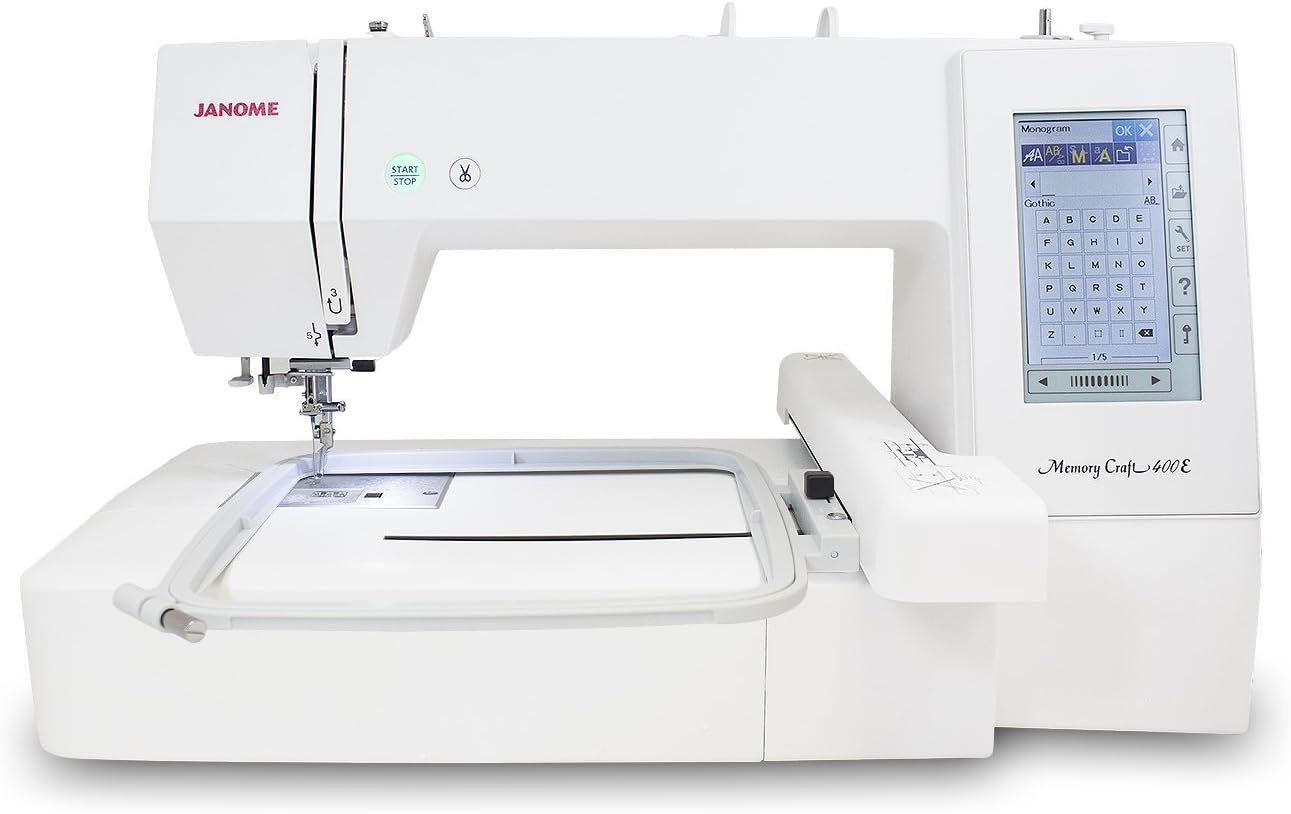
Janome Memory Craft 400E Review 2026: Features, Embroidery Performance, Pros & Alternatives
The Janome Memory Craft 400E is a dedicated single-needle embroidery machine for sewists who want a larger square embroidery field without paying for a sewing-and-embroidery combination machine. Its core strengths are a 7.9 x 7.9-inch maximum embroidery area, 160 built-in designs, six monogramming fonts, USB design importing, a full-color touchscreen, automatic thread tension, automatic thread cutting, and speeds up to 860 stitches per minute.
Because the MC400E is embroidery-only, its value depends on how often you monogram garments, personalize bags and towels, decorate home projects, or stitch imported designs rather than on ordinary garment construction. In this review, I focus on the features that genuinely improve embroidery workflow, the limits of the 200 x 200 mm field, real-world project performance, current alternatives, and who should or should not buy it in 2026.
Quick Verdict: Janome Memory Craft 400E
★ 9.5 / 10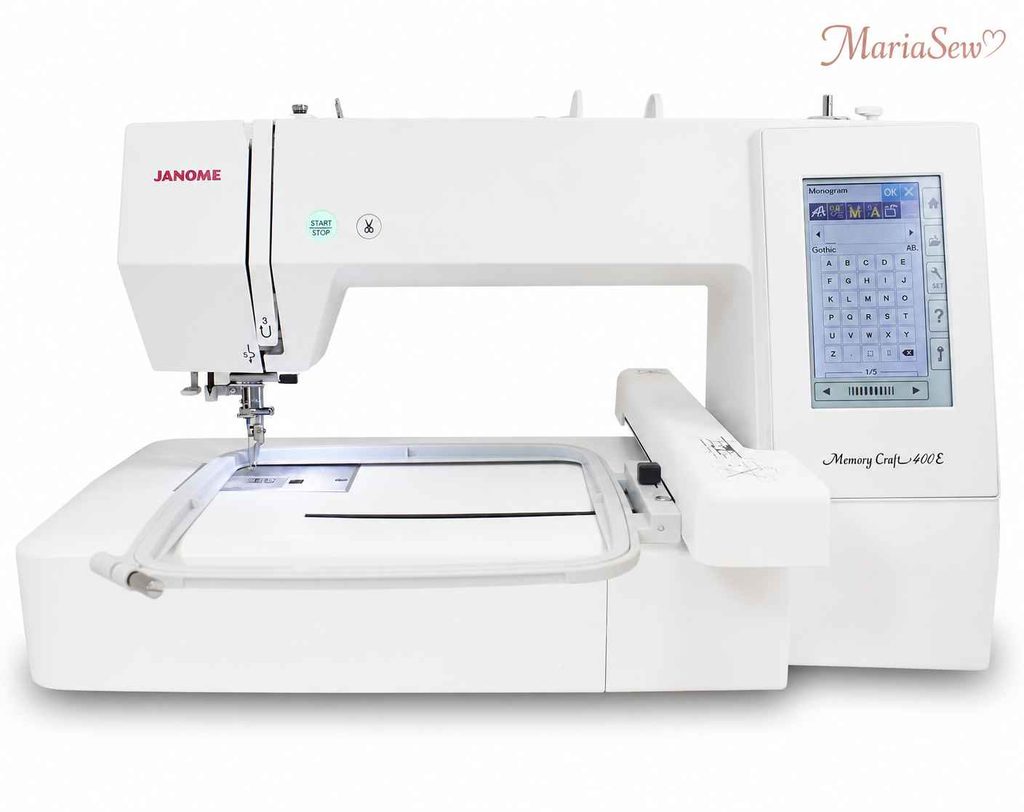
- Roomy 7.9″ × 7.9″ hoop handles bigger monograms and quilt blocks in one hooping
- 160 built-in designs and 6 fonts, plus USB import for your own .JEF files
- 5″ full-color LCD touchscreen makes editing and positioning simple
- Reliable Janome build with adjustable 400–860 SPM speed
Key Takeaways
- The MC400E is a focused embroidery machine built around workflow and control rather than all-purpose sewing.
- It is embroidery-only and does not handle regular sewing tasks like seams, hems, zippers, or buttonholes.
- Its maximum 7.9 × 7.9-inch (200 × 200 mm) embroidery field suits many projects but limits larger designs.
- It includes 160 built-in embroidery designs, six fonts, and two- and three-letter monogramming.
- USB is the primary method for importing compatible Janome JEF embroidery files.
- Its 5-inch color touchscreen provides extensive on-screen editing and design-positioning controls.
- Automatic tension, thread cutting, jump-thread trimming, bobbin sensing, and needle threading simplify thread management.
- With speeds up to 860 stitches per minute, it offers competitive performance for a single-needle home embroidery machine.
- Package contents vary by region, with hoops and accessories depending on the market and dealer.
- The key question is whether the 200 × 200 mm embroidery field and embroidery-only design fit your projects.
What Is the Janome Memory Craft 400E?
A dedicated embroidery machine built for crafters ready to move past small hoops. Its generous 7.9″ × 7.9″ (200 × 200 mm) embroidery area handles bigger monograms, appliqué, and quilt blocks in a single hooping. You can stitch the built-in designs or import your own via USB and edit them right on the color touchscreen — a genuine step up for anyone getting serious about machine embroidery.
The Memory Craft 400E is Janome’s dedicated single-needle embroidery machine with a 200 x 200 mm maximum field. It is designed to sit beside a regular sewing machine rather than replace one, so every major control is built around hoop embroidery, design placement, lettering, stitch navigation, and thread management.
That specialization is useful if embroidery is a repeat part of your sewing room. Instead of attaching and removing an embroidery module from a combination machine, the 400E stays ready for hoop-based work, which makes it easier to move between sewing on one machine and embroidery on another.
If you are comparing dedicated embroidery machines with broader sewing options, I also covers the best embroidery sewing machines and different machine types in more detail.
How I Test Embroidery Machines at MariaSew
I personally use the sewing and embroidery machines I recommend before I publish a verdict. I have more than 12 years of hands-on sewing experience, and I do not judge an embroidery machine only by its built-in design count or maximum hoop size. I hoop real fabric, test stabilizers, stitch monograms and dense fills, import external files, change thread colors, recover from thread breaks, and repeat the same design at different speeds so I can see where the machine actually saves time.
For a dedicated machine like the Janome Memory Craft 400E, I pay special attention to hooping accuracy, touchscreen editing, design placement, jump-thread trimming, thread-break recovery, bobbin alerts, lettering quality, small-detail clarity, dense fill behavior, appliqué workflow, and how easy it is to return to the correct stitch after a problem. I also test how the table supports larger hoops and whether a project feels manageable when the design approaches the machine’s 7.9 x 7.9-inch limit.
- Hooping and stabilization. I test cotton, towels, knits, bags, and layered projects with stabilizers appropriate to the fabric instead of using one easy sample for everything.
- Design transfer and editing. I import compatible files, resize within safe limits, rotate, combine, position, and zoom so I can judge the screen workflow rather than just built-in designs.
- Stitch quality. I look at satin edges, fill consistency, small lettering, outline registration, thread nesting, puckering, and how the design changes when density or fabric support is poor.
- Thread management. I deliberately evaluate bobbin alerts, automatic cutting, jump-thread trimming, needle threading, and recovery after a simulated thread break.
- Speed and control. I compare lower embroidery speeds with the 860 SPM maximum to see whether the machine stays smooth on dense sections and small lettering.
- Ownership experience. I consider USB workflow, cleaning, needles, bobbins, hoop storage, table footprint, dealer support, accessories, and whether the machine remains easy to operate after a long session.
This follows MariaSew’s published standard that recommended machines are personally used and tested before publication.
Janome Memory Craft 400E Features: What Each One Does
The MC400E has more depth than its simple embroidery-only label suggests. I would prioritize the features below because they directly affect project size, editing, thread handling, recovery, and repeatability.
7.9 x 7.9-Inch Maximum Embroidery Area
The 200 x 200 mm square field is the defining specification of the MC400E. It is large enough for substantial monograms, appliqué, blocks, bags, towels, home décor, and many garment placements without forcing constant re-hooping.
160 Built-In Embroidery Designs
Janome includes 160 built-in designs, giving beginners enough content to start stitching before building an external design library. I see the built-ins as a useful starting point, not the main reason to buy the machine, because USB importing expands the range dramatically.
Six Monogramming Fonts
The six built-in fonts cover names, initials, labels, and personalized gifts. The machine also supports two- and three-letter monogramming, which is useful for towels, bags, linens, and classic monogram layouts.
5-Inch Full-Color LCD Touchscreen
Janome’s global specifications list a 5-inch color LCD touch panel. The screen is important because the 400E lets me position, preview, combine, rotate, resize, flip, group, copy, and zoom designs without doing every adjustment in external software.
USB Design Importing
The MC400E imports embroidery designs by USB and Janome lists .JEF as its primary embroidery format on the U.S. specification page. This keeps the workflow simple, although buyers who prefer phone-to-machine or Wi-Fi transfer may find newer competitors more convenient.
On-Screen Embroidery Editing
Editing tools include enlarge/reduce, rotate, flip, drag and drop, arc, combine, copy and paste, grouping, corner layout, single-color sewing, and zoom. These controls are especially useful for combining lettering with motifs or positioning a design inside a specific hoop area.
400-860 SPM Adjustable Embroidery Speed
The MC400E can embroider at up to 860 stitches per minute and allows speed adjustment while stitching. I slow it down for small lettering, dense satin sections, specialty thread, and unstable fabrics, then increase speed for more forgiving fill areas.
Programmable Jump-Thread Trimming
Automatic jump-thread trimming reduces the number of connecting threads I have to remove by hand after a multi-section design. It does not eliminate cleanup entirely, but it makes detailed projects feel much less tedious.
Automatic Thread Cutter
The built-in thread cutter trims thread at programmed points and at the end of embroidery sequences. Combined with jump-thread trimming, it reduces the number of manual stops during color changes and repeated designs.
Automatic Thread Tension
Janome has automatic thread tension on the 400E. That gives me a stable baseline for normal embroidery thread, but I still test specialty thread, dense designs, and unusual fabric on scraps because stabilizer and thread path can affect the result.
Advanced Built-In Needle Threader
The needle threader speeds up setup and repeated color changes. It is especially useful during longer designs, where manually threading the needle over and over quickly becomes one of the most annoying parts of the workflow.
Bobbin Thread Sensor
The bobbin sensor warns me before the lower thread runs out in the middle of a design. That helps avoid stitching long sections with no bobbin thread and makes multi-color projects more predictable.
Easy-Set Top-Loading Bobbin
The top-loading full rotary hook bobbin is easy to access and monitor. Janome also includes a bobbin winding plate with a cutter, which makes it easier to prepare multiple embroidery bobbins before a long project.
Flexible Stitch Traveling
The machine can move through a design in increments of 1, 10, or 100 stitches. This is one of the most useful troubleshooting tools because I can return precisely to the point where a thread break or missed section occurred.
Direct Jump to a Desired Stitch Point
Direct stitch-point navigation saves time when I need to skip through a long design instead of stepping forward stitch by stitch. It is particularly helpful after rethreading, bobbin changes, or checking registration.
Auto Return After a Thread Break
The post-thread-break return function helps me resume close to the interrupted point instead of guessing where to restart. I still inspect the overlap carefully, but the machine gives me a much cleaner recovery path.
Adjustable Hoop Positioning and Pattern Tracing
Hoop-position controls and pattern tracing let me check the design boundary before stitching. I use this to confirm that a motif will clear seams, pockets, edges, or other elements inside the hoop.
Extra-Wide Support Table
The U.S. package has an extra-wide table among standard accessories. It supports the embroidery arm and larger hoops so a heavy project is less likely to drag or pull while the design is stitching.
Multiple Compatible Hoop Sizes
The 400E supports the 7.9 x 7.9-inch SQ20b field plus smaller rectangular and square hoops. Smaller hoops are useful because they reduce excess stabilizer and fabric movement when a design does not need the full 200 x 200 mm area.
Embroidery Couching Support
Janome has an optional embroidery couching foot set for the MC400E. That expands the machine beyond ordinary embroidery thread by allowing decorative yarn or cord to be couched into designs prepared for that technique.
Janome Memory Craft 400E Full Specifications
The feature explanations above show how the machine behaves in real projects. The table below collects the current manufacturer specifications in one place so you can confirm project size, design transfer, speed, editing, thread management, dimensions, and included workflow features.
Janome package contents can differ by country and dealer, so I treat the U.S. product page as the baseline for a U.S. buyer and recommend confirming the exact included hoops before purchase.
Janome Memory Craft 400E
| Feature / Specification | Manufacturer Detail | What It Means in Practice |
|---|---|---|
| Model | Janome Memory Craft 400E | Dedicated embroidery machine |
| Machine type | Single-needle embroidery machine | Embroidery only, not regular sewing |
| Max embroidery field | 7.9 × 7.9 in / 200 × 200 mm | Large square field for bigger designs in one hooping |
| Built-in designs | 160 | Ready-to-use motifs |
| Monogramming fonts | 6 | Names, initials, labels, and gifts |
| Monogram layouts | 2- and 3-letter | Classic monogram formats |
| Design transfer | USB | Imports compatible external designs |
| Design formats | .JEF primary (others via conversion) | Convert other formats before importing |
| Color display | 5-inch full-color LCD touch panel | Editing, placement, preview, and navigation |
| Embroidery speed | 400–860 SPM | Adjustable for detail or faster fills |
| On-screen editing | Resize, rotate, flip, drag/drop, arc, combine, copy/paste, grouping, corner layout, single color, zoom | Useful design prep without a computer |
| Jump-thread trimming | Programmable | Less manual cleanup |
| Automatic thread cutter | Yes | Faster color changes and finishing |
| Thread tension | Automatic | Consistent baseline tension |
| Needle threader | Built-in | Faster setup and rethreading |
| Bobbin sensor | Yes | Warns when bobbin thread is low |
| Bobbin system | Top-loading full rotary hook | Easy access and visibility |
| Stitch travel | 1, 10, and 100-stitch increments | Precise recovery and troubleshooting |
| Thread-break recovery | Auto return after thread break | Helps resume near the interruption |
| Hoop positioning | Adjustable | Fine project placement |
| Included hoop | SQ20b 7.9 × 7.9 in (200 × 200 mm) standard | Full-size square hoop out of the box; retailer bundles often add extras |
| Start/stop button | Yes | Operate embroidery from the machine controls |
| Workspace | 12 in wide × 4.7 in high | Room around the embroidery arm and hoop |
| Machine weight | 25.2 lb | Stable desktop machine |
| Footprint | 23 × 12.9 × 17.7 in | Needs a dedicated work surface |
| Voltage | 120V (U.S. model) | Standard U.S. household power |
| Warranty | 25-year limited (mechanical), 2-year electronic, 1-year labor | Janome’s standard U.S. warranty — confirm exact terms with your dealer |
| Current pricing | ~$1,399–$1,499 · check current price | Confirm the current bundle and hoops before buying |
Specifications based on Janome’s U.S. listing for the Memory Craft 400E and may vary by region or revision. Confirm the exact configuration and included accessories with the seller before purchase.
The specification sheet makes the 400E’s position clear. It is a dedicated 200 x 200 mm embroidery platform with serious editing and recovery tools, but it does not offer the longer 7.9 x 11-inch or 7.9 x 14.2-inch fields available on larger Janome embroidery-only machines.
Janome Memory Craft 400E Real-World Embroidery Performance
Because the MC400E is embroidery-only, I evaluate real-world performance through hooping, registration, lettering, appliqué, fills, thread management, and recovery rather than ordinary straight-stitch sewing. The 200 x 200 mm field is large enough to expose placement and stabilization problems that smaller 4 x 4 or 5 x 7 machines can sometimes hide.
Monograms and Small Lettering
Monograms are one of the 400E’s easiest wins because the six built-in fonts and two- or three-letter layouts are quick to set up on screen. Clean small lettering still depends on the right needle, fine thread when needed, and firm stabilization, especially on towels, knits, or textured fabric.
Garments, Bags, Towels, and Home Décor
The 7.9-inch square field works well for jacket chest designs, tote bags, pillow panels, towels, table linens, patches, and many home décor placements. I like the pattern-tracing and hoop-position controls because they let me confirm the boundary before the needle commits to a long design.
Appliqué and Multi-Color Designs
Appliqué benefits from the machine’s accurate stitch navigation and automatic cutting. I can stop, trim fabric, return to the correct sequence, and continue without manually counting hundreds of stitches, which makes layered appliqué much easier to manage.
Dense Fill Designs
Dense fills are where stabilizer, needle condition, and thread quality matter more than raw speed. I reduce embroidery speed when a design becomes dense or narrow because the 860 SPM maximum is useful for open fills, but it is not automatically the best setting for every section.
Thread Break Recovery
The combination of bobbin sensing, flexible stitch travel, direct stitch-point access, and auto return after a thread break is one of the strongest parts of the MC400E workflow. Instead of abandoning a partially stitched area, I can back up precisely and overlap only enough to secure the design.
USB Design Workflow
USB importing is reliable and simple once files are organized correctly, but it feels more traditional than the wireless transfer found on newer Brother models. I recommend keeping a clean folder structure and converting or exporting to a compatible Janome format before the project reaches the machine.
Large 7.9 x 7.9-Inch Designs
When I use most of the available field, hooping accuracy and table support become much more important. The extra-wide table helps keep fabric weight from pulling on the carriage, but oversized designs still need careful stabilization and enough free table space around the machine.
Ease of Use and Learning Curve
The 400E is beginner-friendly for someone who already understands basic embroidery concepts, but it is not a push-button craft appliance. The color touchscreen and automatic features reduce repetitive work, while hooping, stabilizer choice, design density, thread selection, and file preparation still require practice.
I would rather teach a beginner on a machine with stitch travel, pattern tracing, bobbin sensing, and a clear screen than on a cheaper model that offers less recovery control. Those tools are valuable when something goes wrong because the user can correct the design instead of starting over.
For someone still learning the fundamentals, My how to learn sewing guide covers the broader skills that help before moving into more advanced machine embroidery.
Pros and Cons of the Janome Memory Craft 400E
The MC400E’s advantages are concentrated around a mature embroidery workflow. Its limitations are mostly about format: it is dedicated to embroidery, uses a square 200 x 200 mm maximum field, and lacks the wireless ecosystem of some newer competitors.
Pros of the Janome Memory Craft 400E
- Generous 7.9 x 7.9-inch square field. Large enough for many apparel, bag, towel, appliqué, block, and home décor projects without re-hooping.
- Strong editing and navigation tools. The touchscreen, stitch travel, direct jump, pattern positioning, and on-screen editing give me excellent control when a design needs adjustment.
- Excellent thread-management features. Automatic tension, thread cutting, jump-thread trimming, a bobbin sensor, and thread-break recovery reduce interruptions.
- Useful built-in content plus USB importing. The 160 designs and six fonts are practical immediately, while USB keeps the machine open to external design libraries.
- Dedicated embroidery workflow. A separate embroidery machine can stay set up while a regular sewing machine remains available for construction work.
These strengths matter most to someone who embroiders often. If the machine only comes out for occasional initials, much of the workflow advantage is harder to justify.
Cons of the Janome Memory Craft 400E
- Embroidery-only design. You need a separate sewing machine for seams, hemming, quilting construction, repairs, zippers, and buttonholes.
- 7.9-inch square maximum can limit long designs. A 200 x 200 mm field is roomy, but it is less flexible for jacket backs, banners, borders, and long vertical motifs than 7.9 x 11 or 7.9 x 14.2-inch machines.
- No built-in wireless design transfer. USB works well, but newer Brother models make phone or PC-to-machine transfer more convenient.
I see these as format limitations rather than flaws. The 400E works best when you deliberately want a dedicated medium-large embroidery machine and do not need a longer hoop or wireless workflow.
Who Should Buy the Janome Memory Craft 400E?
I recommend the MC400E to embroiderers who already own a sewing machine and want a dedicated station for personalization. It is especially useful when 4 x 4 or 5 x 7 embroidery has started to feel restrictive but a very large 14-inch field is not necessary.
- Monogram and personalization sewists. The six fonts, monogram layouts, USB importing, and square field suit towels, bags, linens, gifts, and apparel.
- Quilters adding machine embroidery. The 7.9-inch square field works naturally for embroidered blocks, labels, appliqué, and decorative panels.
- Small creative businesses and frequent hobbyists. Thread management and repeatable design placement reduce wasted time across repeated projects.
- Owners of a separate sewing machine. A dedicated embroidery unit keeps sewing and embroidery workflows independent.
- Users who prefer Janome’s JEF and touchscreen workflow. The editing tools and familiar Janome controls are a good fit for an existing Janome embroidery ecosystem.
The strongest buyer is someone who knows the projects will fit inside 200 x 200 mm most of the time. That makes the 400E feel spacious rather than limiting.
Who Should Not Buy the Janome Memory Craft 400E?
I would not choose the 400E when one machine must handle both construction sewing and embroidery, or when a large percentage of designs exceed 7.9 inches in one direction. In those cases, the machine’s specialization becomes a restriction rather than an advantage.
- One-machine households needing regular sewing. Look at a sewing-and-embroidery combination machine instead.
- Frequent large-format embroiderers. A longer Janome field such as the 550E’s 7.9 x 14.2 inches reduces re-hooping on jacket backs and large panels.
- Wireless-first users. Brother NQ1700E and PE900 provide wireless design-transfer options that feel more modern than USB-only transfer.
- Very occasional embroiderers. A smaller, less expensive machine may provide better value if most projects are simple 5 x 7 motifs.
- Users expecting automation to replace embroidery technique. The 400E still requires correct hooping, stabilizer, thread, needle choice, and design preparation.
A dedicated embroidery machine earns its space through repetition. If you do not expect to embroider regularly, the feature set can be difficult to justify.
Janome Memory Craft 400E vs. Other Embroidery Machines
The most useful comparisons are based on embroidery field, transfer method, editing tools, built-in content, workflow, and whether the machine is embroidery-only or a sewing-and-embroidery combination. I do not treat a bigger design count as an automatic win.
For a broader overview of Janome’s lineup, best Janome sewing machines can also help put the MC400E into context alongside Janome’s other machines.
Janome Memory Craft 400E vs. Brother PE900
The Brother PE900 is a smaller dedicated embroidery machine with a 5 x 7-inch maximum field, 193 built-in designs, 13 lettering fonts, USB, wireless connectivity, automatic thread cutting, and upper and bobbin thread sensors. The Janome 400E gives me a much larger 7.9 x 7.9-inch square workspace and stronger appeal for bigger blocks, bags, towels, and appliqué, while Brother makes design transfer more convenient through wireless connectivity.
For a beginner who mostly embroiders 5 x 7 or smaller designs, the PE900 can be easier to place and may offer more built-in lettering variety. For someone already running into hoop-size limits, the 400E is the more capable project-size upgrade, especially if USB transfer is not a problem.
Final Verdict: Choose the Janome 400E for the larger 7.9-inch square field and Janome editing workflow. Choose the Brother PE900 if a 5 x 7 field is enough and wireless transfer plus more built-in fonts matter more.
I also have a dedicated Brother PE900 review for readers who want to examine that alternative separately.
Janome Memory Craft 400E vs. Janome Memory Craft 500E
The MC500E is the closest family comparison because it shares 160 built-in designs, six fonts, USB importing, a color touchscreen, 860 SPM maximum speed, jump-thread trimming, and similar editing tools. Its major advantage is the longer 7.9 x 11-inch embroidery field, which handles jacket backs, longer borders, and rectangular designs with less re-hooping.
There is an important 2026 buying detail: Janome’s U.S. site currently marks the standard MC500E as discontinued, although dealer or used stock may still exist and the 500E Limited Edition has also been sold. That makes the 400E easier to evaluate as an officially listed model, while the current 550E is the more logical Janome upgrade if you need substantially more field length.
Final Verdict: Choose the 400E if 7.9 x 7.9 inches covers your real projects and you want a straightforward dedicated Janome platform. Consider a 500E only if you find the right discontinued package and specifically need 7.9 x 11 inches; otherwise compare the current 550E.
Janome Memory Craft 400E vs. Bernette 79 Yaya Han Edition
The Bernette 79 Yaya Han Edition is not a direct dedicated-embroidery rival. It is a sewing-and-embroidery combination machine with 500 sewing stitches, 276 embroidery designs, a 10.2 x 6.3-inch embroidery area, speeds up to 850 SPM for embroidery and 1,000 SPM for sewing, three included hoops, dual feed, and BERNINA Embroidery Software 9 Creator in the Yaya Han package.
That makes the choice more about workflow than raw embroidery size. The Janome 400E provides a larger square field and keeps embroidery separate from everyday sewing; the Bernette 79 is better for a one-machine studio that wants garment construction, creative sewing, embroidery, and software integration in the same platform.
Final Verdict: Choose the 400E for a dedicated embroidery station and a 7.9-inch square field. Choose the Bernette 79 Yaya Han Edition if you want one premium machine for both sewing and embroidery and will use the included creative software and accessories.
5 Best Alternatives to the Janome Memory Craft 400E
The best alternative depends on what you wish the 400E did differently. I selected the five machines below for larger embroidery fields, wireless transfer, more built-in designs, a more modern interface, or a different price and ecosystem position.
I keep this list focused on dedicated embroidery machines so the buying decision stays comparable. The Bernette 79 remains useful in the comparison above because it solves the separate problem of combining sewing and embroidery in one machine.
1. Janome Memory Craft 550E – Best Janome Upgrade for Larger Embroidery
The Janome Memory Craft 550E is the natural upgrade when the 400E’s 7.9-inch square field is the main limitation. It expands the maximum embroidery area to 7.9 x 14.2 inches, includes 180 built-in designs and six fonts, reaches 860 SPM, and keeps the Janome touchscreen, USB, automatic thread cutter, jump-thread trimming, and stitch-navigation workflow familiar.
I would choose the 550E for jacket backs, long appliqué, vertical designs, larger home décor panels, and in-the-hoop projects where re-hooping becomes frustrating. It takes more table space and costs more, but the larger RE36b field changes what can be stitched in one hooping rather than merely adding decorative features.
Key Features
- 7.9 x 14.2-inch maximum field. Much longer embroidery area than the 400E.
- 180 built-in designs and six fonts. Expanded Janome design library.
- 400-860 SPM embroidery speed. Same top speed class as the 400E.
- Full-color touchscreen and advanced editing. Resize, rotate, combine, group, zoom, and position on screen.
- Four included hoops on current U.S. listing. Supports projects from small motifs to large-format designs.
Pros
- Substantially larger field. Fewer re-hoops on long or oversized designs.
- Familiar Janome interface. Easy upgrade path for existing Janome users.
- Strong thread management. Automatic cutting, jump trimming, sensors, and recovery tools.
- Excellent for large personalization projects. Better fit for jackets, home décor, and large in-the-hoop work.
- More complete current flagship-style package. The included hoop range supports more project sizes immediately.
Cons
- Higher cost. The larger platform costs significantly more than mid-size embroidery machines.
- Bigger footprint. Needs more permanent table space and clearance for long hoops.
- Still USB-focused. Buyers wanting phone-to-machine wireless transfer may prefer Brother.
Final Verdict: The 550E is my first alternative when the only thing you dislike about the 400E is field length. It preserves Janome’s workflow while giving you a genuinely larger single-hoop project range.
2. Brother NQ1700E – Best Alternative for Wireless Design Transfer
The Brother NQ1700E is a dedicated embroidery machine with a 6 x 10-inch maximum field, 258 built-in designs, 13 lettering fonts, a 4.85-inch-class color display, USB, and wireless Design Database Transfer. It is narrower than the 400E but longer, which can suit vertical motifs, names, borders, and garment placements better than a square hoop.
I like the NQ1700E for someone building a design library on a computer and who wants to send files to the machine without constantly moving a USB stick. Brother also includes strong on-screen editing, drag-and-drop positioning, automatic thread cutting, upper and bobbin sensors, and adjustable embroidery speed.
Key Features
- 6 x 10-inch maximum embroidery area. Longer field than the 400E, though less width.
- 258 built-in designs. Large ready-to-use library.
- 13 embroidery fonts. More lettering choices than the 400E.
- Wireless Design Database Transfer. Sends compatible files over the network from a computer.
- Color touchscreen editing. Supports drag-and-drop, text editing, previews, and design adjustments.
Pros
- Wireless workflow. Less dependence on USB for routine design transfer.
- Long 10-inch hoop. Useful for vertical embroidery and longer motifs.
- Large built-in library. 258 designs and 13 fonts provide strong out-of-box variety.
- Good thread sensors. Upper and bobbin monitoring reduce failed runs.
- Beginner-friendly interface. Brother menus and previews are approachable for new embroiderers.
Cons
- Only 6 inches of field width. The Janome 400E fits larger square designs.
- Wireless setup adds another system to manage. Network configuration can be unnecessary for USB-first users.
- Different file and software ecosystem. Existing Janome JEF libraries may require conversion or re-exporting.
Final Verdict: Choose the NQ1700E if wireless transfer and a longer 6 x 10 field fit your workflow better than a square hoop. Choose the 400E when width and square-block projects matter more.
3. Bernette 70 DECO – Best Touchscreen Alternative With a Wider Rectangular Field
The Bernette 70 DECO is a dedicated embroidery machine with a 10.2 x 6.3-inch field, 208 built-in embroidery motifs, seven alphabets, a 5-inch color touchscreen, three included hoops, automatic hoop detection, automatic thread cutting, and support for multiple embroidery formats. It trades some vertical height compared with the 400E square field for substantially more width.
I like the b70 DECO for makers who use rectangular logos, horizontal text, bag panels, and apparel layouts and want a touchscreen-driven workflow. It can import several embroidery formats without forcing every design through one native ecosystem, which is useful if your library comes from multiple designers or software packages.
Key Features
- 10.2 x 6.3-inch embroidery area. Wide rectangular field for larger horizontal layouts.
- 208 built-in motifs and seven alphabets. Strong creative content from the start.
- 5-inch color touchscreen. Direct editing, positioning, rotation, and combining.
- Three included hoops with hoop detection. Convenient size matching and safer placement.
- Multiple embroidery-format compatibility. Flexible external-design workflow.
Pros
- Wide embroidery field. Excellent for text, logos, and horizontal designs.
- Modern touchscreen interface. Easy drag-and-drop editing and visual placement.
- Three hoops included. Good project-size flexibility without immediate accessory spending.
- Broad file compatibility. Helpful for mixed design libraries.
- Upper and lower thread sensors. Good monitoring for long embroidery runs.
Cons
- Only 6.3 inches of field height. Square 7.9-inch designs fit more naturally on the Janome 400E.
- Different dealer ecosystem. Service access and accessory availability should be checked locally.
- More interface complexity. The richer format and editing options can take longer to learn than a simple USB workflow.
Final Verdict: The b70 DECO is a strong alternative if you prefer a wide 10.2-inch field, three included hoops, and broader file compatibility. The 400E remains better for large square motifs and an existing Janome workflow.
4. Baby Lock Flare – Best Alternative for Built-In Designs and Wi-Fi
The Baby Lock Flare combines a 6.25 x 10.25-inch maximum field with 293 built-in designs, 14 built-in fonts, Wi-Fi Design Database Transfer, on-screen editing, automatic thread tension control, and embroidery speeds up to 850 SPM. It is a strong option for users who want more built-in content and a wireless workflow without moving to a multi-needle machine.
The field is narrower than the Janome 400E but noticeably longer, so it suits names, vertical motifs, and rectangular designs well. I also like the large font library for personalization-focused work, especially if monograms, names, and gifts make up a large part of the project list.
Key Features
- 6.25 x 10.25-inch embroidery field. Longer single-hoop designs than the 400E.
- 293 built-in designs. One of the largest design libraries in this comparison group.
- 14 built-in fonts. Strong personalization and lettering variety.
- Wi-Fi design transfer. Sends files from a computer through Design Database Transfer.
- Automatic thread tension. Reduces routine tension setup for normal embroidery thread.
Pros
- Huge built-in content library. Plenty to use before buying external designs.
- Excellent lettering options. Fourteen fonts suit personalized gifts and business projects.
- Wireless transfer. Convenient for computer-based design organization.
- Good rectangular field. Useful for longer garment and home décor placements.
- Strong editing and thread management. Automatic functions make repeated embroidery more efficient.
Cons
- Narrower than the 400E. Large square designs may require resizing or re-hooping.
- Higher feature density. The broader library and wireless workflow can be more than a simple hobbyist needs.
- Different design ecosystem. File preparation and software habits may change for Janome users.
Final Verdict: The Flare is a better fit if you prioritize Wi-Fi, built-in designs, and lettering variety. I would keep the 400E for large square layouts and Janome-centered design libraries.
5. Brother PE900 – Best Compact Alternative for Beginners
The Brother PE900 is the compact alternative for someone who likes the idea of dedicated embroidery but does not need a 7.9-inch field. It provides a 5 x 7-inch maximum area, 193 built-in designs, 13 embroidery fonts, wireless connectivity, USB, automatic thread cutting, upper and bobbin sensors, and a straightforward color-screen workflow.
I would choose it for monograms, patches, towels, small garment placements, baby items, and gifts where 5 x 7 covers most designs. It takes up less workspace and offers a modern transfer experience, but the smaller hoop will feel restrictive quickly if you already want jacket-back or larger appliqué projects.
Key Features
- 5 x 7-inch maximum embroidery area. Compact, popular project size for home embroidery.
- 193 built-in designs. Large starter library.
- 13 embroidery fonts. Good personalization options.
- Wireless and USB transfer. Flexible design-loading workflow.
- Upper and bobbin thread sensors. Helpful monitoring for long runs.
Pros
- Beginner-friendly size and interface. Less intimidating than a larger embroidery station.
- Wireless transfer. Easy design transfer from a compatible device or PC workflow.
- Strong font library. Excellent for names and monograms.
- Compact footprint. Better for smaller sewing rooms.
- Good automatic functions. Thread cutting and sensors reduce routine interruptions.
Cons
- 5 x 7 field is much smaller than the 400E. Large square or jacket-back designs require re-hooping or resizing.
- Less future headroom for project size. Ambitious embroiderers may outgrow the field sooner.
- Different file ecosystem. Existing Janome.JEF designs may need conversion.
Final Verdict: The PE900 is my compact beginner alternative when 5 x 7 is enough and wireless transfer matters. The 400E is the better long-term choice if project size is already pushing beyond 5 x 7.
Maintenance and Ownership Tips
Embroidery machines accumulate lint, thread fragments, stabilizer dust, and adhesive residue around the bobbin area and needle plate. I follow Janome’s manual for cleaning and servicing rather than applying generic oiling advice, because modern embroidery machines are not all lubricated in the same places by the user.
- Clean the bobbin area regularly. Dense embroidery and lint-heavy fabrics can build debris quickly.
- Change needles before they become a problem. A dull or bent needle can cause thread shredding, skipped stitches, poor registration, and fabric damage.
- Use good embroidery bobbin thread. Consistent bobbin tension helps satin stitches and dense fills remain balanced.
- Test stabilizer and thread on scraps. Many apparent machine problems are actually support, needle, or design-density problems.
- Keep USB files organized. Use clear folders and compatible exports so the machine does not become the place where file management goes wrong.
- Support large projects on the table. Do not let heavy fabric pull against the embroidery carriage during a long design.
- Use authorized service for internal problems. Timing, sensors, electronics, carriage alignment, and internal drive issues should be diagnosed by a qualified technician.
I also keep a simple project log for difficult designs. Recording the fabric, stabilizer, needle, thread, speed, and any adjustments makes the next repeat much faster.
For broader machine maintenance, MariaSew also covers how to oil a sewing machine, although the MC400E itself should be maintained according to its specific manual rather than generalized sewing-machine lubrication advice.
Common Janome Memory Craft 400E Mistakes to Avoid
Most frustration with the 400E comes from expecting automation to solve problems that start before the design begins. The machine can manage thread and stitch position well, but it cannot compensate for poor hooping, weak stabilization, the wrong needle, or an oversized design.
- Calling it a regular sewing machine. The 400E is embroidery-only and does not replace a construction sewing machine.
- Ignoring the 7.9 x 7.9-inch maximum. Compatible smaller hoops do not increase the machine’s maximum single-hoop design field.
- Running every design at 860 SPM. Small lettering, dense fills, metallic thread, and unstable fabric often improve when speed is reduced.
- Using the wrong stabilizer. Insufficient support causes puckering, outline misregistration, distortion, and poor lettering.
- Over-resizing downloaded designs. Changing size too far without proper stitch recalculation can make a design too dense or too sparse.
- Relying on automatic tension without testing. Thread weight, fabric, density, and bobbin setup can still require troubleshooting.
- Skipping pattern tracing. Checking the boundary first can prevent a design from colliding with seams, pockets, or hoop edges.
- Ignoring bobbin and needle maintenance. A low-quality bobbin setup or damaged needle can create failures that look like design-file problems.
- Buying for built-in design count alone. Field size, editing, hoop support, transfer method, and service are more important over time.
- Assuming package contents are identical everywhere. Hoops and accessories can vary by market and dealer, so verify the exact box before purchasing.
The 400E is most reliable when I treat hooping, stabilization, file preparation, and machine setup as one process. Good embroidery starts before the start button is pressed.
Is the Janome Memory Craft 400E Worth It in 2026?
Yes, for the right embroiderer. The 400E still offers a useful combination of a large square field, color touchscreen editing, 160 built-in designs, six fonts, USB importing, automatic tension, cutting, jump-thread trimming, stitch navigation, and recovery tools. It feels much more capable than a compact 5 x 7 machine without requiring the desk space of Janome’s 14.2-inch 550E.
Its age shows mainly in connectivity and field shape. Wireless design transfer is now common on several Brother competitors, and users who regularly need longer designs will benefit from newer or larger platforms. If neither limitation affects your workflow, the 400E remains a practical dedicated embroidery machine.
Beginners comparing it with conventional machines can also review the best sewing machines for beginners to understand the difference between a regular sewing machine and a dedicated embroidery platform.
Final Verdict: Should You Buy the Janome Memory Craft 400E?
I recommend the Janome Memory Craft 400E to home embroiderers who already have a regular sewing machine and want a dedicated embroidery station with a genuinely useful 7.9 x 7.9-inch field. Its strongest features are not just the 160 designs and six fonts; the real value comes from touchscreen editing, automatic tension, jump-thread trimming, bobbin sensing, stitch navigation, pattern positioning, and reliable recovery after thread interruptions.
I would choose something else if I needed sewing and embroidery in one machine, wireless transfer, or longer single-hoop designs. For square blocks, monograms, appliqué, bags, towels, garments, and personalized home projects that fit inside 200 x 200 mm, the MC400E remains a focused and capable choice in 2026.
Frequently Asked Questions
Is the Janome Memory Craft 400E a sewing and embroidery machine?
No. The MC400E is a dedicated embroidery-only machine. You need a separate sewing machine for ordinary construction stitches, hems, zippers, buttonholes, and garment assembly.
What is the maximum embroidery size on the Janome 400E?
The maximum embroidery field is 7.9 x 7.9 inches, or 200 x 200 mm.
How many built-in designs does the Janome 400E have?
Janome has 160 built-in embroidery designs plus six monogramming fonts and two- and three-letter monogram layouts.
How fast does the Janome 400E embroider?
Janome has an embroidery speed range of approximately 400 to 860 stitches per minute, with adjustable speed while embroidering.
Does the Janome 400E have a touchscreen?
Yes. Janome has a full-color LCD touchscreen, and its global specification identifies a 5-inch color touch panel.
Can I import my own designs to the Janome 400E?
Yes. The machine supports USB design transfer and Janome lists .JEF as the primary embroidery format on its U.S. specification page.
Does the Janome 400E cut jump threads?
Yes. It supports programmable jump-thread trimming as well as an automatic thread cutter.
Does the Janome 400E have automatic tension?
Yes. Janome lists automatic thread tension control for the MC400E.
Can the Janome 400E sew regular seams?
No. It is designed for hoop embroidery and does not function as a normal construction sewing machine.
Is the Janome 400E good for beginners?
It can be a good first serious embroidery machine because the touchscreen, sensors, automatic cutting, stitch travel, and pattern tracing make troubleshooting easier. Beginners still need to learn hooping, stabilizer, thread, needles, and design preparation.
What is the best upgrade from the Janome 400E?
The Janome 550E is the clearest Janome upgrade if you need a larger embroidery field. Its maximum field is 7.9 x 14.2 inches and it keeps a similar Janome embroidery workflow.
Is the Janome 500E better than the 400E?
The 500E gives you a longer 7.9 x 11-inch field while keeping many similar Janome features, but Janome currently marks the standard 500E as discontinued in the U.S. The 550E is the more relevant current large-field upgrade.
Janome 400E or Brother PE900: which has the larger hoop?
The Janome 400E has the larger maximum field at 7.9 x 7.9 inches. The Brother PE900 is limited to 5 x 7 inches but adds wireless design transfer and more built-in fonts.
Does the Janome 400E support embroidery couching?
Yes. Janome lists an optional embroidery couching foot set compatible with the 400E for designs that use decorative cord or yarn.