Brother SE2000 Review: Sewing and Embroidery Machine in 2026
When I first got my hands on the Brother SE2000, I was honestly just hoping for something that would make both sewing and embroidery less of a headache. I’ve used a bunch of different machines over the years, but this one caught my eye because it promised a mix of pro features and a price that didn’t make me wince.
In this Brother SE2000 Review, I’ll walk you through what it’s actually like to use this machine in 2026, from first setup to stitching out those big embroidery designs. If you’re wondering if it’s worth the investment, or if it’s too much for a beginner, I’ll lay out everything I’ve noticed, good and bad.
Key Takeaways
- The Brother SE2000 is easy to use, even if you’re just starting, but it still has enough advanced features to keep experienced sewists happy.
- It handles both sewing and embroidery projects, with a 5″ x 7″ embroidery area that’s big enough for most home jobs.
- Wireless design transfer is a huge plus—no more fussing with USB drives, just send your designs straight from your phone or computer.
- It’s a heavy machine, so if you plan to take it to classes or travel, you’ll need a solid carrying case (and some muscle).
- The SE2000 is a good value for the price, but you might need to buy extra accessories like a rolling trolley or magnetic hoop to get the most out of it.
Introduction to the Brother SE2000
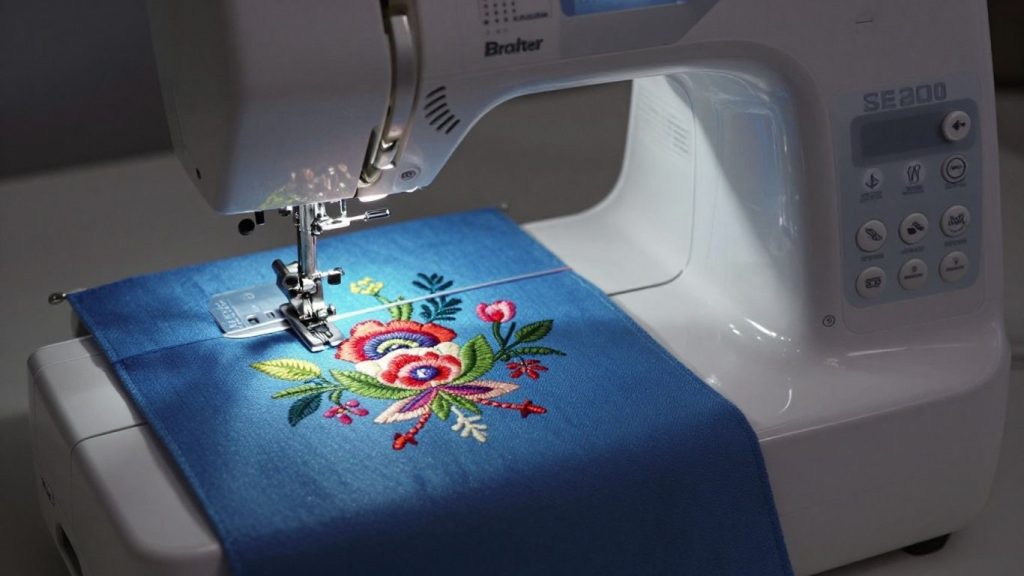
When I came across the Brother SE2000, I was on the hunt for a machine that would not only keep up with me sewing-wise but now that I had caught the embroidery bug, take care of those needs too. I was looking for something that wouldn’t cost an arm and a leg but still had some decent capabilities to keep me occupied and allow me to learn. Having spent time with the SE2000, I can honestly say that it’s a decent choice even though you may be new to computerized sewing and embroidery. It’s basically what I wanted, a nice step up from the really basic machines without being quite so complex.
The idea here is to produce a jack-of-all-trades machine, and for the most part, it delivers. It’s advertised as an excellent option for beginners, and I can see why. The setup was simple, and the interface not intimidating.
The hot thing for me and how it sets this Sodastream out is the combination of sewing and embroidery in one machine (you can do just regular sewing with this as well), so there was no way I was not going to add this baby to my craft room. I really liked several features of the SE2000 embroidery machine, and I wanted to see how it compared to other models that I had looked at.
Here’s a quick look at what makes the SE2000 stand out:
- Sewing Capabilities: It offers a good range of stitches and features that make everyday sewing tasks easier.
- Embroidery Features: This is where it really shines, with a decent hoop size and connectivity options for design transfer.
- User Experience: The touchscreen and automatic threading contribute to a generally positive user experience with the Brother SE2000.
Then I discovered the Brother SE2000 really seems to bridge that gap between the learning-type machines and a professional machine. It’s not the absolute top-of-the-line, but it offers a ton of functionality that feels approachable and useful for someone like myself who dabbles in many different kinds of crafting.
So, all in all, my first experience with the Brother SE2000 is pretty good. It’s a machine that the more you use it, the more confident and adventurous you can become with your stitching. It’s easily one of the best Brother sewing machines for beginners who are looking to move into embroidery.
Key Features and Specifications
Sewing Capabilities
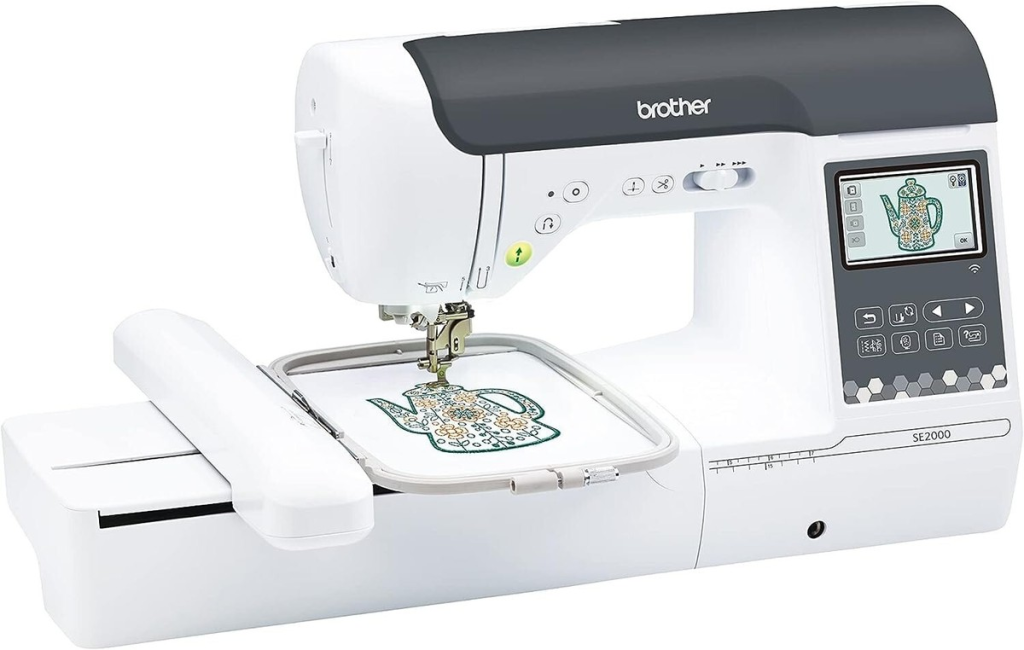
First glance at the Brother SE2000 and I was in love with its sewing functions. It has a whopping 241 built-in stitches (way more than I was expecting), considering it’s also an embroidery machine! You get all the basics of course, plus decorative and quilting stitches and even some heirloom ones. The auto threader, save a life, no really. No more straining your eyes when threading, or looking for the thread – it does it for you.
And I love the dropin bobbin – it’s so much easier to see when you’re running out of thread, and it’s better at preventing those maddening bird’s nests that can happen with a front-load bobbin. It has a speed control slider, which is also a nice feature and allows me to slow things down for difficult turns or speed it up for long straight seams. It even has a needle up/down button, which I find really useful for turning fabric when sewing.
Embroidery Features
I believe this is where the SE2000 shines. It has 200 embroidery designs included, which is great to start with. You can also bring in your own designs through a USB drive or, even better, wirelessly. The machine is Wi-Fi connected, so I can send designs directly from my computer or tablet through the Artspira app. That’s all right up my alley and saves me a lot of time not having to clean up around my work area.
The sewing field is of a good size at 7.9” x 4.3” (or 200mm x 100mm)—ideal for customizing shirts, bags, or even smaller quilt blocks. A bright, high-definition 7′′ LCD screen measures a full 7 inches with DIY design editing features, including on-screen pattern rotation in 1-degree increments and scaling up or down by 10 percent to 90-percent with the machine interface. It also has automatic thread trimming, which is something I know to be spoiled by NEED.
Design and Usability
On the design front, we think the SE2000 has quite a modern look to it. The color touchscreen is the centerpiece of Device, and it’s where I spend most of my time interacting with the machine. It’s so intuitive I didn’t have to spend hours with the manual, although I’d recommend skimming it if only to find all the little features. The machine itself is also a little heavy and over 20 pounds; it’s not something I’d want to transport to classes often.
It includes no dedicated carrying case, which is a little bit of a bummer, so keep portability in mind as you make your decision. Under desk lighting is fantastic, bright LED light, which helps me see what I’m doing particularly in the dark. All in all, there’s just a sense that this is a workhorse of a machine, and it isn’t going to fall apart on you – couple that with an interface which is pretty easy to get your head around for both basic sewing and embroidery tasks.
Ease of Use for Beginners and Experts
The Brother SE2000 was surprisingly easy to use, even on my first day with it. I was able to take it out of the box and be sewing in minutes. For someone like me who used to get tied in knots just threading my old machine, the automatic needle threader on this one felt almost magical — it actually worked the first time!
There are plenty of thoughtful features that appear to be built for people who want to pull it out and start using it without endless tweaking, but there are also still enough places the tinkerers can get in and tweak away.
Getting Started with the SE2000
- The SE2000 comes mostly assembled: you just need to screw on the presser foot, snap in the embroidery unit, plug it in, and it’s good to go.
- A big, bright touch screen leads you through choosing stitches or embroidery patterns, so there’s way less guesswork.
- On-board Tutorials and On-Screen Help men it easier to lean basic smc__uons. I wasn’t having to take the manual (out) every two seconds.
- Automatic needle threading and the quick-set bobbin save time (and keep frustration low when you’re still getting used to threading.
- I also liked that it came with a 5×7” embroidery hoop; I felt like this was plenty of space for the majority of simple projects (but not so much space that I would look at it and not know what to fill up).
Never mind the intimidating setup — my experience starting with the SE2000 was a bit like pulling out a new phone: Plugged it in, tapped a few buttons, and I was off to the races.
Advanced Techniques and Tips
For anyone stepping up from beginner to advanced, there’s also a lot to appreciate:
- Wireless design transfer – I have found it super easy to get designs from my phone, straight to the machine with the Artspira app. No more futzing with USB drives, which I was totally over.
- Custom design editing on the screen is quick and simple; files can be resized, rotated, angled or combined for great customization without extra software.
- One-touch memory let’s you save your favorites, so once I had my settings figured out for monograms, I could use the same ones for new projects.
- Thread tension, sewing speed, and needle stop position can all be set too with a few taps of the screen, offering advanced users as much control as they require.
Here’s a quick table showing which features stand out most for beginners vs. experienced sewists:
| Feature | Best for Beginners | Best for Experts |
|---|---|---|
| Automatic Needle Threader | Yes | No |
| Touchscreen Tutorials | Yes | No |
| Wireless Design Transfer | Yes | Yes |
| Customizable Settings | No | Yes |
| Built-in Memory for Projects | Yes | Yes |
| Editing and Combining Designs | No | Yes |
Honestly, whether you’ve never touched an embroidery machine or you’re always chasing that next personal touch on your projects, the SE2000 adapts easily to both needs. I didn’t expect a machine to grow with me this much in just a few months.
Performance and Reliability
When we first started using the Brother SE2000, I was curious how it would fare over time and as projects got more complex. I have bashed it about, and I’m happy to say it’s been fairly solid. The machine runs well in process and I’m not running into too many hiccups, which is a big win for me.
One feature I really like is the way it consistently sews. Whether I’m sewing a basic straight seam on a throw quilt or doing something as complex as an intricate embroidery design, my stitches come out consistent and precise. The motor feels quite strong, as if it won’t slow down/struggle with heavier fabrics, which I’ve come across on other machines. I’ve tested it with everything from denim to several layers of cotton, and it has not complained too much.
Here’s a quick rundown of what I’ve observed:
- Quality: The sew-out is always good, very few skipped stitches or thread breaks even with longer runs.
- Noise Level: It’s not silent, but it seems quieter than a lot of machines I’ve worked on. And there is not a lot of vibration, so you can use it fore prolonged periods.
- Durability: So far, so good. I also have to say the plastic feels solid and the internal parts feel well-made. I hope this one survives me, anyway.
However, I came to realize that there’s a marked difference between a clean machine (especially around the bobbin) and its performance. It’s a minor thing, but it does wonders for preventing thread jams or criss-cross stitches.
It’s a good reminder that even the most excellent machines require some regular maintenance to operate at peak level. The SE2000 looks like a good workhorse for anyone who wants something that they can be sure will perform. It’s a machine that is built like it should last, so I get my money’s worth when buying new equipment.
Pros and Cons of the Brother SE2000
When I was doing some Brother SE2000 research, I wanted to find out exactly what it did well and where it’s a little lacking. It’s a good, solid machine, especially for crafters who want to take their work up a notch. It is really the combination of sewing and embroidery features at this price point that sets it apart.
Pros of the Brother SE2000
Here are some of the things I really like about the Brother SE2000:
- Great User Interface: The bright color touchscreen is very user-friendly. Even if you have never done any embroidery at all, you are not totally lost. It also simplifies the process of picking designs and setting things up.
- Wireless Connectivity: The ability to wirelessly send designs from my computer or phone, using the Artspira app, is a game-changer. No more lost USB sticks!
- Large Embroidery Area: Offers a 5-inch x 7-inch embroidery area, the most popular size of embroidery design will fit the hoop to meet your needs. It’s a great size to make the move from smaller hoops without it being too much.
- Designs and Fonts: There are tons of designs and fonts in the library, which is a good thing because you may get started as soon as it’s out of the box entirely. I had a lot of choices for various projects.”
- Auto Threading: This feature was worth its weight in gold. It really is that much quicker and less cumbersome for threading the needle.
Cons of the Brother SE2000
However, no machine is perfect, and I did notice a few things to consider:
- Weight: This is not a light machine. It’s more than 20 pounds — and that doesn’t include the embroidery arm. If you’re thinking about lugging it to classes or commuting with it, perhaps a rolling trolley enters your considerations.
- Not Included Case: You’ll have to purchase a separate carrying case or trolley, and that will bring up the price — especially for a machine this large.
- How Noisey: It’s not very loud, but not the quietest machine I’ve used. My old, high-end machine is much quieter.
Overall, the Brother SE2000 is a lot of machine for your money. It’s a Brother sewing machine for people who want to test the waters of both sewing and embroidery without spending too much. The sewing and embroidery machine brother sews through all of your projects easily.
Who’s the Brother SE2000 Suitable for?
I think this machine is a great choice for:
- Beginner Crafters and DIY craft aficionados Fans of embroidery hobbyists wanting to try out a new skill.
- Sewers looking to embellish their projects.
- Anybody who loves the modern convenience of features such as wireless transfer and automatic threading.
It may not be the most convenient if you’re obsessed with portability, or if what you require is a machine that does not make any noise at all while running.
Brother SE2000 vs. Competitors
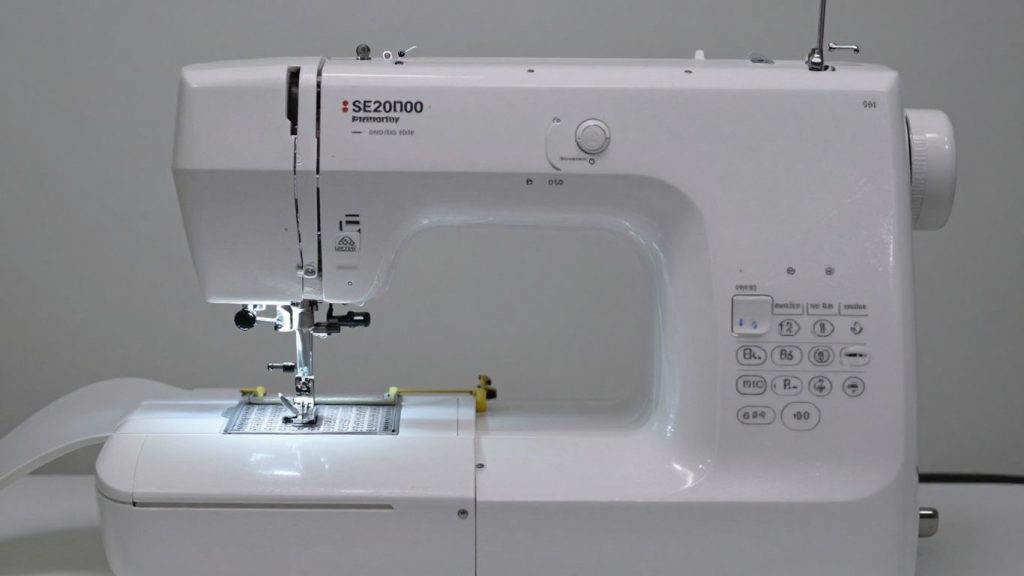
When I began researching sewing and embroidery machines, I was quickly overwhelmed with all the options. It can be pretty tough knowing which one will best serve what I want to accomplish. The Brother SE2000 really has impressed me, particularly when comparing it to other machines in its price range. “It manages to find the sweet spot between having enough features to keep me interested as I learn more while not being so complicated that it overwhelms me.”
One of the main points for me is in how it deals with designs. There are several designs built in with the SE2000 that I appreciate having, but it’s also nice to be able to add more. The wireless connectability with the Artspira app is a game changer for me, enabling me to send patterns directly from my phone or computer without fiddling around with USB sticks. This is something not all machines support, or they overcomplicate it.
Here’s a quick look at how it stacks up in a few areas:
- Design Transmission: SE2000 is transmitted via Wi-Fi and App Artspira. A few older or cheaper models may still use only USB, which seems a little out of date at this point.
- Embroidery Area: 5×7 inch on the SE2000, is an actually good size to use, and I think it will be big enough for most of my projects. Its dimensions are also large enough to accommodate a good design without being so giant that it results in an unpleasantly heavy or expensive machine.
- User-Friendliness: I’ve heard from multiple users that they love the touchscreen and automatic needle threader, especially if you’re new or returning to sewing. That is a big plus over other machines that could be a bit harder to learn.
But it’s not just the embroidery. Sewing-wise, it’s also pretty sturdy. It’s got some good stitches and features like a needle up/down button and stitch speed control; both of which I’ve come to appreciate on my older machines.
When I’m taking stock of machines, I’m always thinking about what I’ll really use on a day-to-day basis. A machine can be loaded up with a million fancy features, but if you can’t get at them easily or they don’t work very well, it isn’t much of a help. It appears that the SE2000 concentrated on the things that matter most in sewing and embroidery.
Brother SE2000 vs Brother SE600
As I was searching for sewing and machine embroidery machines, I kept running across the Brother SE2000 (AKA Laura Ashley) and the SE600. Of course, one can’t help but wonder how they compare to one another, given the fact that they’re by the same brand.
I’ve spent the last few weeks with each, and though they both have a lot of feet to share there’s an important distinction that could make one more attractive than the other. This is another Brother sewing machine 2026 comparison that I am asked about.
Brother SE2000 vs Janome Memory Craft 400E
Comparing the SE2000 to a Janome Memory Craft 400E is interesting, since they cater to somewhat different needs. The SE2000 is a combo machine: It sews and embroiders. The Janome 400E, meanwhile is an embroidery-only machine. And that’s a huge deal if you’re looking for one machine to do both jobs well.
Then the SE2000 offers you that two-in-one benefit, a nice way to conserve space and money if you don’t want two machines. The Janome 400E, as an embroidery-only model, might provide a slightly more polished experience for some embroiderers, but you’d need to buy a separate sewing machine in that case.
Brother SE2000 vs Singer Quantum Stylist 9960
Now, we will compare the Brother SE2000 and the Singer Quantum Stylist 9960. It’s all different down here. One sewing machine of sorts, the Singer 9960 is a heavy duty and painstakingly made high-end workhorse model sewn forgivingly with hundreds of stitches and features for all kinds of projects. It does have simple embroidery abilities, but that is not its primary focus as with the SE2000.
And we all know that the SE2000 is a machine developed from head to toe as a competent sewing and embroidery unit. If what you want is broad versatility in sewing stitches and functions, the Singer 9960 may be more attractive to you. However, if you’re looking to do a lot of embroidery then the SE2000 is designed for that.
Here’s a quick look at how I see their strengths:
Brother SE2000: Good combination of sewing and embroidery, excellent beginner’s machine that wants to do both Brother machines as wireless connectivity in the Artspira app.
Singer Quantum Stylist 9960: Extensive stitch library, great for all sorts of sewing, built in embroidery capabilities.
It’s a funny thing, when I’m deciding between machines such as this, I always end up thinking what I do with this machine 80% of the time. If it’s primarily sewing with some embroidery thrown in, the Singer might take it. For a 50/50 split or bias towards more embroidery, the Brother SE2000 is an easy decision for me.
Comparing More Brother Sewing Machines?
If you are still deciding which Brother model is right for your projects, our full guide can help you compare more options. Check out our complete roundup of the best Brother sewing machines before making your final choice.
Conclusion: Is the Brother SE2000 Right for You in 2026?
After having spent a fair amount of time with the Brother SE2000, I can honestly tell you, it stands up as a good all-around machine to learn to sew and at least attempt embroidery without breaking the bank_ RTLR I love how simple it is to set up and use, even if you’re not super tech-savvy. The included wireless design transfer is a bonus, and the 5” x 7” embroidery area will give you loads of room for creativity. It’s not the lightest machine in the world, so if you are thinking of taking it to classes or doing a lot of moving around with one, bear that in mind.
I do kind of wish it had a carrying case and perhaps an extension table, but these are things that you can pick up later. Overall, the SE2000 is a fun machine with enough features to make sewing and embroidery enjoyable and not too overwhelming. If you’re relatively new to sewing or looking to upgrade from a much less expensive machine, I believe this one is worth considering. It’s made my projects so much more fun and simpler.
Frequently Asked Questions
What makes the Brother SE2000 a good choice for beginners?
I like the Brother SE2000 for people who are new to sewing, it’s quite easy to set up and use. It has details like an automatic needle threader, which is a lifeline when you can’t quite see that tiny eye of the needle. And the big color touchscreen made picking designs and settings an easy process without much head-scratching.
Can I use my own designs with the SE2000?
Yes, you absolutely can! I love that I can upload my own designs with this machine. This you can do wirelessly through the Artspira app on your computer or phone, or by popping in a USB drive. It’s so useful for special projects.
What size embroidery can I do with the SE2000?
The SE2000 includes a 5×7-inch hoop, which is plenty big enough for most of the things you would be sewing. It’s large enough to do some nice designs without being intimidating, and you can also get smaller hoops if you want to work on something like collars or pockets.
Does the Brother SE2000 also sew, or is it just for embroidery?
It’s actually both! I was very pleased to discover that the SE2000 doubles as a full sewing machine. It has a huge variety of built-in stitches and features, so you get two machines in one, either for sewing or quilting.
Is the SE2000 heavy or hard to move around?
From experience, I feel SE2000 is a little bit heavier (more than 20 lbs without countertop). And it’s even heavier when you put the embroidery arm on. If I were going to have to carry it up and down steps to classes or if I had to move it regularly, I’d likely seek out a lighter model. It’s very much more of a machine to leave stationary.
What’s the difference between the SE2000 and older Brother models like the SE600?
At least from what I could tell, the SE2000 is an advancement over models such as the SE600. It normally has a larger embroidery area (5×7″, not just 4×4″), a nicer and more advanced touch screen, more built-in designs and stitches, and often improved connectivity options like Wi-Fi to send designs wirelessly, which I find helpful.

3 Comments