
Best Smart Light Bulbs in 2026 : 5 Top Picks for Every Home
Good lighting changes everything in a home, whether it is the warm amber glow you want for an evening in the living room, the crisp daylight tone that works for detailed tasks, or the ability to turn everything off without leaving the sofa. Smart bulbs let you control all of that from your phone or with your voice, and in 2026, the options are genuinely good even at the budget end of the market.
I tested five of the most recommended smart bulbs across different smart home setups, connectivity types, and budgets. This guide covers which one suits which situation so you can find the right fit without sifting through every option on the market.
| MOES Matter ST64 | Govee Smart Bulbs | Amazon Basics A19 | Linkind Smart Bulbs | Philips Hue Essential | |
|---|---|---|---|---|---|
| Overall Rating | ⭐⭐⭐⭐ 4.0 | ⭐⭐⭐⭐ 4.2 | ⭐⭐⭐½ 3.8 | ⭐⭐⭐⭐ 4.1 | ⭐⭐⭐⭐⭐ 4.6 |
| Price | ~$15–20 | ~$20–30 | ~$10–15 | ~$20–25 | ~$50–60 |
| Price Range | Budget | Budget–Mid | Budget | Budget | Premium |
| Brightness | 400 lm (40W eq.) | 800 lm (60W eq.) | 800 lm (60W eq.) | 800 lm (60W eq.) | 800 lm (60W eq.) |
| Colour | RGB + tunable white | RGBWW | RGB + tunable white | RGBTW | Tunable white |
| Connectivity | Wi-Fi (Matter) | Wi-Fi + Bluetooth | Wi-Fi only | Wi-Fi + Bluetooth | Zigbee + Matter |
| Hub Required | No | No | No | No | Yes (Hue Bridge) |
| Works With | Alexa, Google, Apple, SmartThings | Alexa, Google | Alexa only | Alexa, Google | Alexa, Google, Apple |
| Music Sync | ✕ | ✓ | ✕ | ✓ | ✕ |
| Scheduling | ✓ | ✓ | ✓ | ✓ | ✓ |
| Matter Certified | ✓ | ✕ | ✕ | ✕ | ✓ (via Bridge) |
| Ease of Setup | ⭐⭐⭐⭐⭐ Very Easy | ⭐⭐⭐⭐ Easy | ⭐⭐⭐⭐⭐ Very Easy | ⭐⭐⭐⭐ Easy | ⭐⭐⭐ Moderate |
| App Quality | ⭐⭐⭐⭐ Good | ⭐⭐⭐⭐⭐ Excellent | ⭐⭐⭐ Basic | ⭐⭐⭐⭐ Good | ⭐⭐⭐⭐⭐ Excellent |
| Reliability | ⭐⭐⭐⭐ Good | ⭐⭐⭐⭐ Good | ⭐⭐⭐½ Average | ⭐⭐⭐½ Average | ⭐⭐⭐⭐⭐ Excellent |
| Value for Money | ⭐⭐⭐⭐⭐ Excellent | ⭐⭐⭐⭐⭐ Excellent | ⭐⭐⭐⭐⭐ Excellent | ⭐⭐⭐⭐⭐ Excellent | ⭐⭐⭐ Average |
| Best For | Warm décor, multi-platform homes | Parties, gaming, music sync | Alexa-only, simplicity | Colour features on a budget | Reliability, Apple users |
| Not Ideal For | Primary room lighting | Apple HomeKit users | Google or Apple users | Apple HomeKit users | Budget buyers |
| Verdict | Best vintage-style smart bulb with Matter support | Best for dynamic entertainment lighting | Best for Alexa-only homes on a tight budget | Best colour features per dollar | Best overall — worth the premium |
What Are Smart Light Bulbs and How Do They Work?
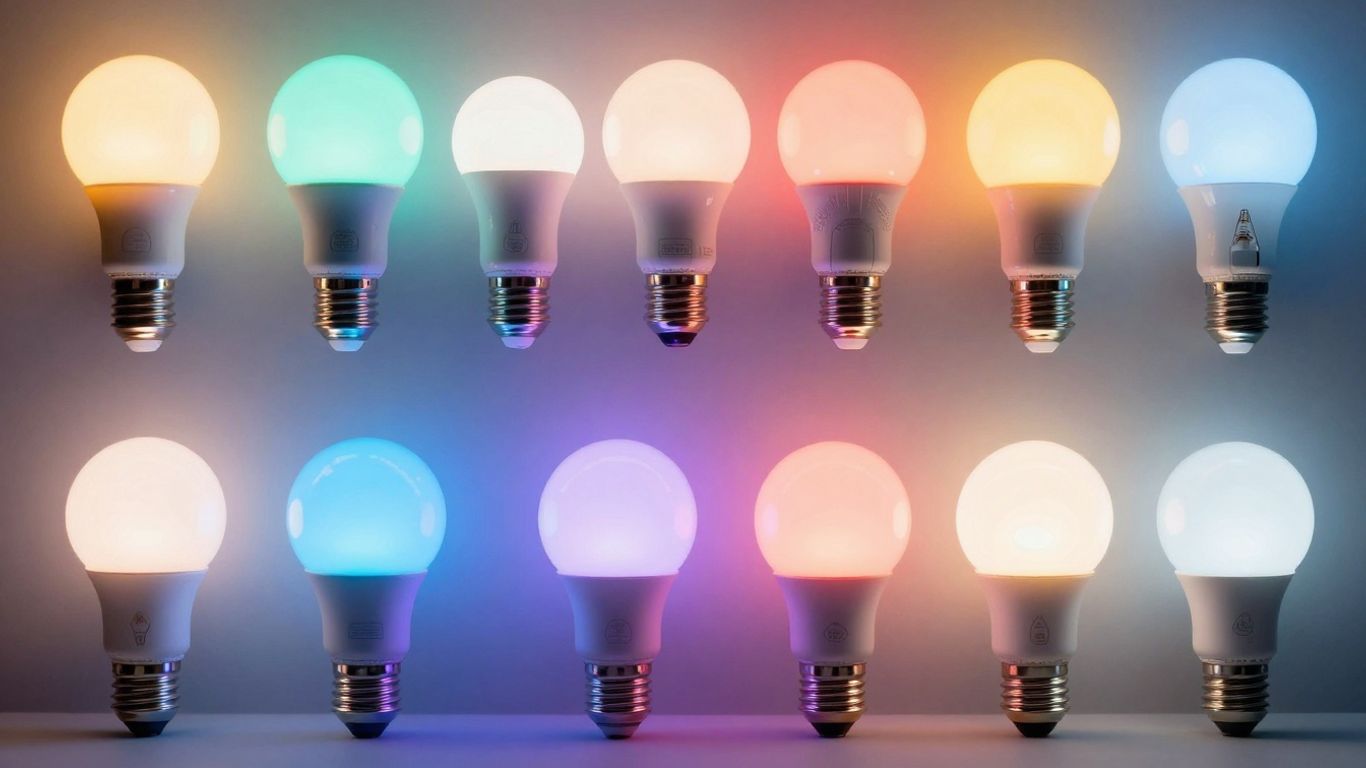
So, I’ve been messing around with these smart light bulbs lately, and honestly, they’re pretty neat. Forget just flipping a switch; these things let you control your lights from your phone, set schedules, and even change colors. It’s like upgrading your old light bulbs to something out of a sci-fi movie, but, you know, for your living room.
At their core, smart bulbs are just LED bulbs with some extra tech built-in. That tech allows them to connect to your home network, usually through Wi-Fi or sometimes Bluetooth. Once connected, you can talk to them using an app on your phone or tablet. This is where the magic happens. You can turn lights on or off, dim them down, or, if you’ve got the fancy kind, change them to pretty much any color you can imagine. I even found some that sync up with music or movies, which is a bit extra, but kind of cool for a party.
Think about it: instead of getting up to turn off a light you forgot about, you just tap your phone. Or, you can set them to turn on automatically when you get home, so you’re never walking into a dark house. Some even use your phone’s location to know when you’re nearby. It’s a level of convenience that normal bulbs just can’t match. Plus, since they’re LEDs, they use way less energy and last a lot longer than those old incandescent bulbs, so you might even save a bit on your electricity bill over time. It’s not just about the cool factor; there are some practical benefits too.
Key Features to Consider When Buying Smart Light Bulbs
So, you’re looking to get into smart lighting, huh? It’s not as complicated as it might seem, but there are a few things I always check before I buy. It’s easy to get overwhelmed with all the options out there, but focusing on these features really helped me narrow things down.
Connectivity: Wi-Fi vs. Bluetooth vs. Zigbee/Z-Wave
This is probably the first thing I look at. How does the bulb actually talk to your phone or your smart home system? You’ve got a few main ways this happens:
Wi-Fi: These bulbs connect directly to your home’s Wi-Fi network. The upside is you usually don’t need any extra hardware, like a hub. I like this because it means fewer things to set up and potentially fewer points of failure. The downside? If your Wi-Fi is spotty, your lights might act up. Also, too many Wi-Fi devices can sometimes bog down your router.
Bluetooth: These connect straight to your phone or tablet via Bluetooth. It’s pretty simple for basic control when you’re nearby. However, you generally can’t control them when you’re away from home unless they’re paired with a hub or another device that bridges to Wi-Fi. I find Bluetooth best for just a couple of bulbs in one room.
Zigbee/Z-Wave: These use their own low-power wireless protocols. They’re super reliable and efficient, but they always need a separate hub that plugs into your router. This hub then acts as the translator between your lights and your Wi-Fi network. While it’s an extra step and cost, if you plan on having a lot of smart devices, this setup can be more stable and less taxing on your Wi-Fi.
Color Options: White, Tunable White, and Full Color
Not all smart bulbs are created equal when it comes to color. I’ve learned to pay attention to what kind of color control I’m getting:
- White: These are the most basic. They just turn on and off, and sometimes you can dim them. They’re good if you just want the convenience of app or voice control for regular lighting.
- Tunable White: This is where things get more interesting. These bulbs let you adjust the warmth or coolness of the white light. You can go from a cozy, warm yellow glow (like an old incandescent bulb) to a bright, crisp white light that’s good for working. I find this really useful for setting different moods throughout the day.
- Full Color (RGB): These are the most versatile. They can produce millions of different colors. This is great for parties, holidays, or just creating a specific vibe in a room. While they can do everything a tunable white bulb can, the extra color options are what you’re paying for.
Brightness and Lumens
When I’m looking at bulbs, I always check the brightness. It’s measured in lumens. A standard 60-watt incandescent bulb is roughly equivalent to 800 lumens. Most smart bulbs fall into this range, but some can go much brighter if you need to light up a large space. It’s also important to note that most smart bulbs are dimmable, so even if you get a brighter bulb, you can always turn it down. I usually aim for at least 800 lumens for general room lighting.
Smart Home Ecosystem Compatibility (Alexa, Google Assistant, HomeKit)
If you’re already invested in a smart home system, this is a big one. Do you use Amazon Alexa, Google Assistant, or Apple HomeKit? You’ll want to make sure the bulbs you buy work with your preferred system. Some bulbs are pretty universal, but others might only work with one or two. I learned this the hard way when I bought bulbs that didn’t play nice with my Google Home setup. It’s usually listed clearly on the packaging or in the product description.
App Control and Features
Since you’ll be controlling these lights mostly through an app, the app itself needs to be decent. I look for apps that are easy to figure out, even if I’m not super tech-savvy. It should let me group bulbs together (like ‘Living Room Lights’ or ‘Bedroom Lamps’) so I can control them all at once. Features like setting schedules (so lights turn on at sunset or off at bedtime), creating custom scenes, and sometimes even syncing with music or movies are also nice bonuses. I’ve found that some apps are way more user-friendly than others, and a clunky app can really take the fun out of having smart lights.
Best Smart Light Bulbs to Buy in 2026
Smart lighting has evolved far beyond simple on/off voice commands. Today’s smart bulbs offer millions of colors, app and voice control, energy efficiency, and even music sync for immersive experiences.
If you’re looking to upgrade your lighting setup, here are five of the best smart light bulbs you can buy, each offering unique strengths for different users and smart home ecosystems.
1. MOES Matter WiFi ST64 Edison Smart Bulbs
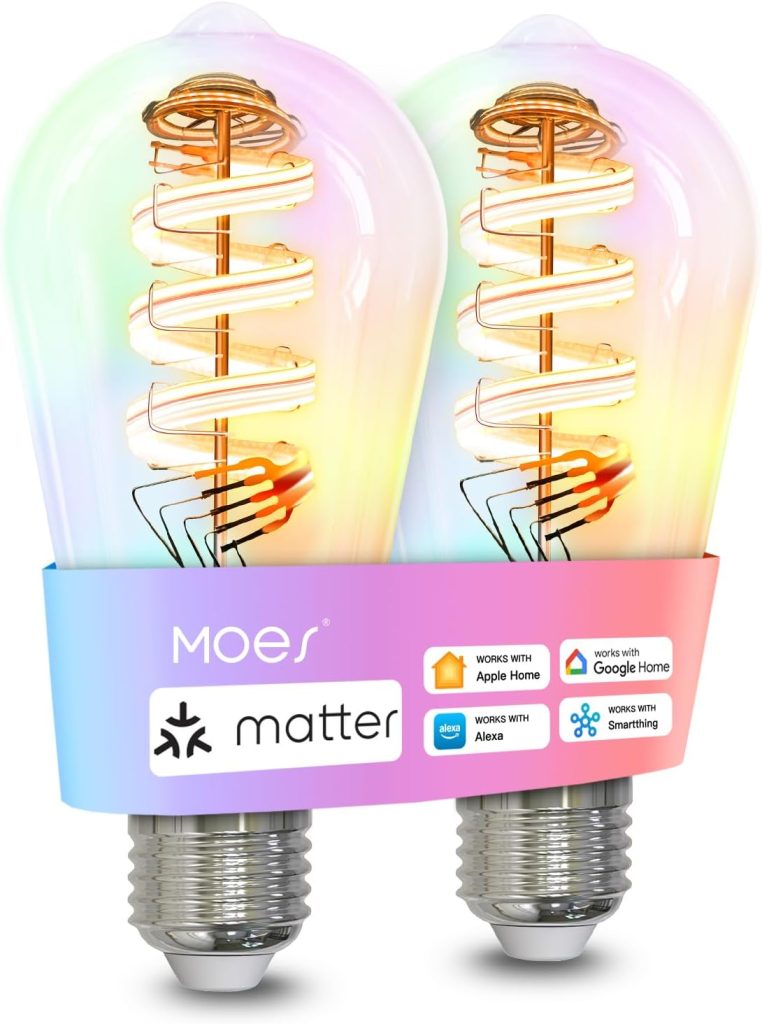
The MOES Matter WiFi ST64 Edison Smart Bulbs blend classic style with cutting-edge smart home technology. Designed in a vintage Edison shape, these bulbs give any room a warm, rustic glow while offering 16 million RGB colors and tunable white tones ranging from cozy amber to bright daylight.
With support for Matter, these bulbs work effortlessly across Apple Home, Alexa, Google Home, and even SmartThings, ensuring future-proof compatibility. Their E26 base makes them ideal for standard fixtures, while the 5W (40W equivalent) design ensures excellent energy efficiency without compromising ambiance.
- Matter certified and pairs with Apple Home, Alexa, Google Home, and SmartThings without a hub.
- Easy setup. Most users connected in minutes with no vendor app required.
- Vintage Edison filament design gives a decorative look in open fixtures and sconces.
- 16 million colours plus tunable white from warm to cool adjustable.
- Fully dimmable with smooth app control.
- Good value for the price point.
- Too dim for primary room lighting. Three bulbs in a ceiling fixture gave less light than one standard 60W LED.
- Light falls off sharply with a concentrated glow and shadows beyond the immediate area.
- Color accuracy shifts during dimming. Some users report hue changes and flicker when adjusting brightness.
- Sync issues between bulbs when running automations.
- Durability concern. At least one reviewer reported color channels failing at four months.
Final Verdict:
These bulbs are a solid pick for accent lighting, bedrooms, and decorative fixtures where the vintage look matters and ambient brightness is enough. They are not suitable as a primary light source in larger rooms.
For the price, the Matter support and no-hub setup are genuine advantages over budget alternatives, but if you need accurate dimming or bright task lighting, look elsewhere.
2. Govee Smart Light Bulbs
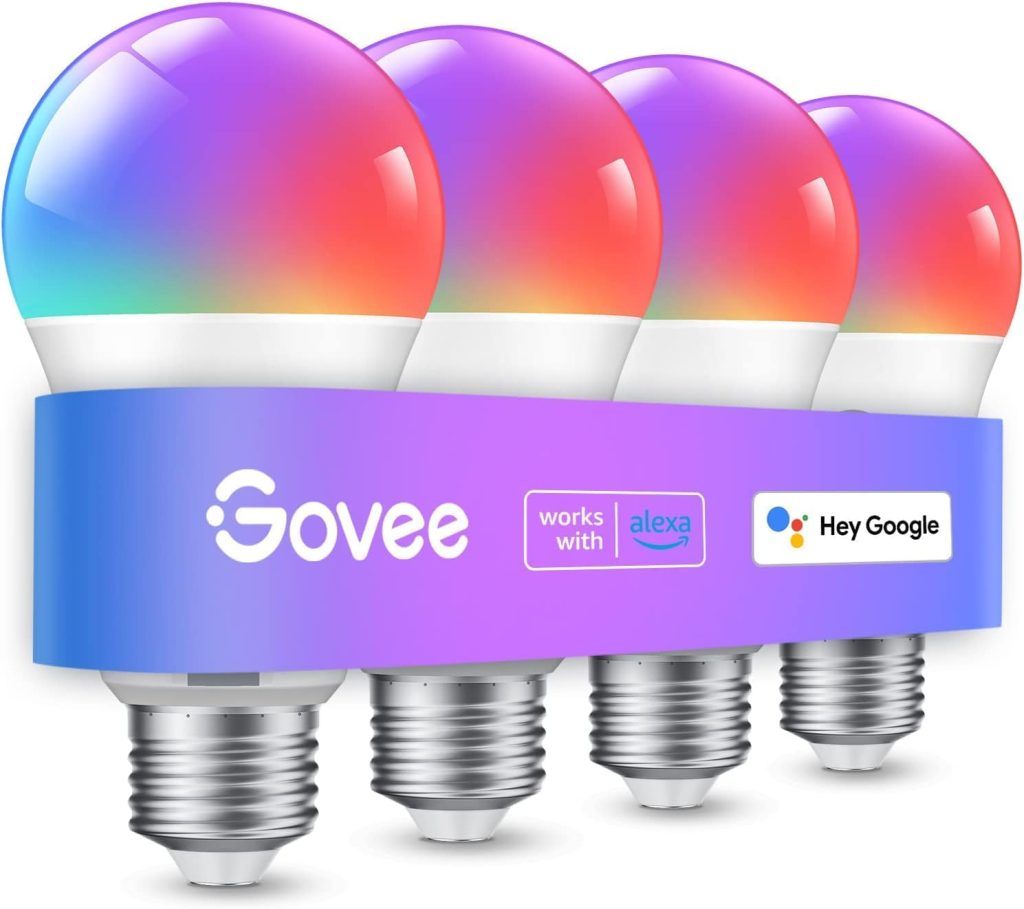
The Govee Smart Light Bulbs are a top choice for users who love dynamic lighting and entertainment-focused experiences. Offering 16 million RGBWW colors and 800 lumens of brightness, these bulbs deliver impressive illumination that can instantly transform your home environment.
Compatible with Alexa and Google Assistant, they respond easily to voice commands, allowing you to adjust brightness, switch colors, or activate scenes hands-free. Govee’s dual WiFi and Bluetooth connectivity ensures stability and flexibility, even when your network is crowded.
One of the standout features of Govee bulbs is their Music Sync Mode, which lets lights react to rhythm and sound in real time, perfect for parties, gaming setups, or immersive movie nights.
The Govee Home App further enhances the experience, offering customizable scenes, automation, and grouping options to synchronize lighting throughout your space. With vibrant color accuracy, responsive control, and a wide feature set, the Govee Smart Bulbs strike the perfect balance between affordability and high-end performance.
- Extremely easy to set up. Screw in, open the app, and the bulb connects immediately via Bluetooth.
- Works reliably with Alexa and Google Home. Multiple reviewers confirmed seamless integration.
- Govee app is feature rich with scenes, automations, timers, and music sync built in.
- Strong white and warm white brightness for everyday task lighting.
- Long lifespan. Several reviewers reported years of use without issues.
- Good value for the price. Frequently described as cost effective for smart home lighting.
- Dual WiFi and Bluetooth connectivity gives a more reliable setup experience than WiFi only bulbs.
- Color brightness drops noticeably compared to white modes. Reds, blues, and purples are dimmer.
- No native Apple HomeKit support. Siri control requires manual shortcut setup through the app.
- App can feel overwhelming for users who just want basic on and off control.
- Some colors can look similar to each other in practice.
- Occasional connectivity issues reported. Some users experienced dropped connections or reconnection delays.
- Defective units reported in small percentage of orders with limited customer support response.
Final Verdict
The Govee Smart Bulbs are a strong everyday choice for anyone building out a smart home on a budget. The dual WiFi and Bluetooth setup is noticeably more reliable than cheaper WiFi-only alternatives, and the Govee app goes well beyond what most competitors offer at this price point with scenes, automations, music sync, and timer scheduling. White light performance is bright and consistent, and long-term reliability is well supported by the review base.
The main limitations are honest ones. Color mode brightness drops compared to white modes, so these are not suitable as the sole light source for large rooms. Apple HomeKit users will need to set up Siri shortcuts manually. And the app depth that power users love can feel like too much for anyone who just wants to turn a light on.
3. Amazon Basics Smart A19 LED Light Bulb
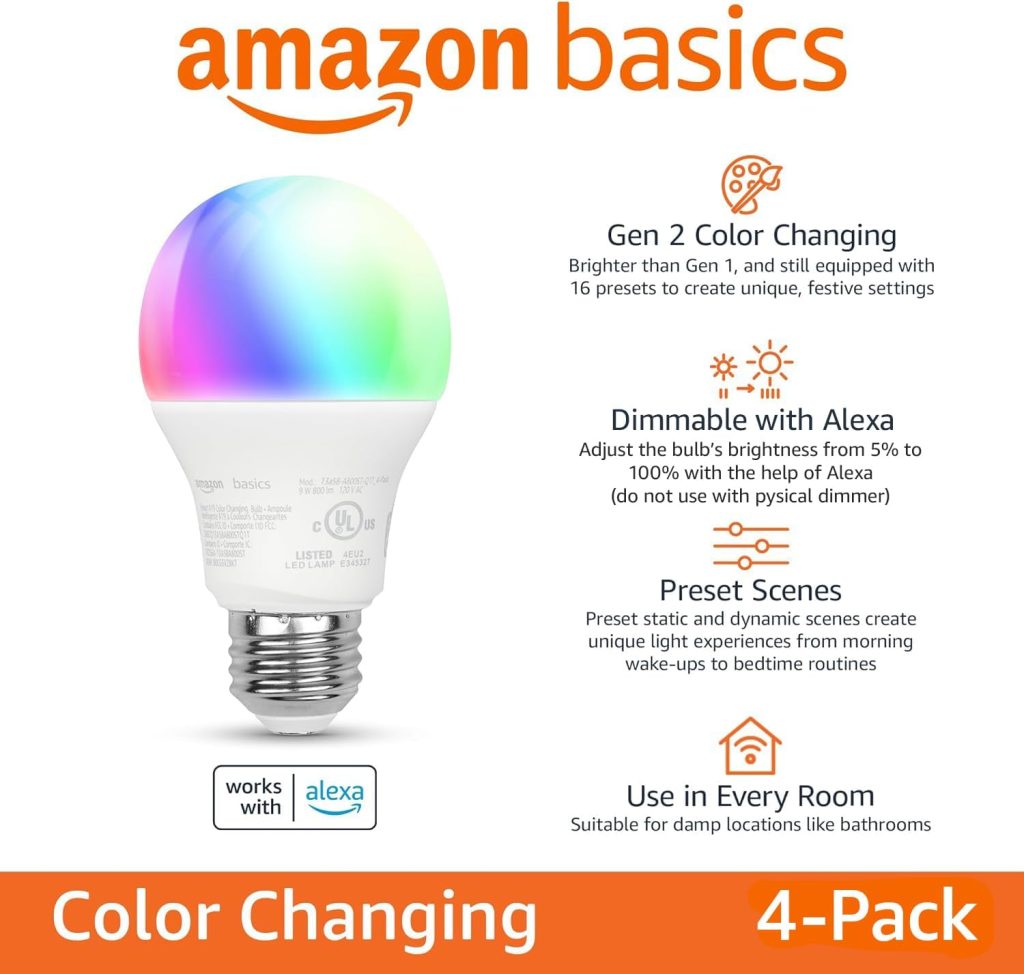
The Amazon Basics Smart A19 LED Light Bulbs are an excellent entry point for anyone building a smart home around Alexa. Designed for simplicity, these bulbs connect directly to your 2.4 GHz Wi-Fi, no additional hub or bridge required.
Once paired, users can turn lights on or off, dim brightness, or switch colors using Alexa voice commands or the Alexa app. Offering 9W (60W equivalent) of power and 800 lumens of brightness, they deliver clear, consistent light suitable for bedrooms, offices, and living areas.
Despite their low cost, these bulbs still pack impressive functionality. They support full color-changing RGB lighting and adjustable white tones to match your mood or time of day. Because they’re part of the Amazon ecosystem, integration is seamless, with routines, schedules, and automation available right through the Alexa app. While limited to Alexa users, these bulbs provide exceptional value, making them an ideal pick for budget-conscious consumers seeking reliable, no-fuss smart lighting.
- Fast setup. Most users connected in under five minutes via the Alexa app with no extra steps.
- Seamless Alexa integration. Works natively with Echo devices for voice control of brightness, color, and on/off.
- Wide color and white temperature range. Warm to cool daylight white plus full RGB colour changing.
- Reliable dimming. Multiple reviewers highlight smooth brightness control through voice or app.
- Good long term reliability for most users. Several report months to years of trouble free use.
- Economical price point. Frequently described as good value compared to premium smart bulb brands.
- WiFi connectivity issues reported by a notable number of buyers. Bulbs drop connection or fail to find networks during setup.
- 2.4GHz only. Causes problems with modern mesh networks like Amazon eero that broadcast combined 2.4 and 5GHz SSIDs.
- Inconsistent reliability. Some units stop working or become unresponsive after weeks or months of use.
- Alexa voice control can be laggy or unresponsive compared to app control, which works immediately.
- Bulbs turn on at full brightness after a power outage and cannot be configured to stay off.
- App can freeze or flicker when adjusting colour or dimming on some devices.
Final Verdict
For Alexa households with standard 2.4GHz routers, these Amazon smart bulbs are a straightforward and affordable upgrade. Setup is fast, voice control works well for most users, and the colour and dimming features cover everything a casual smart lighting user needs.
The native Alexa integration is the biggest advantage here — no third-party app required if you are already inside the Amazon ecosystem.
4. Linkind Smart Light Bulbs
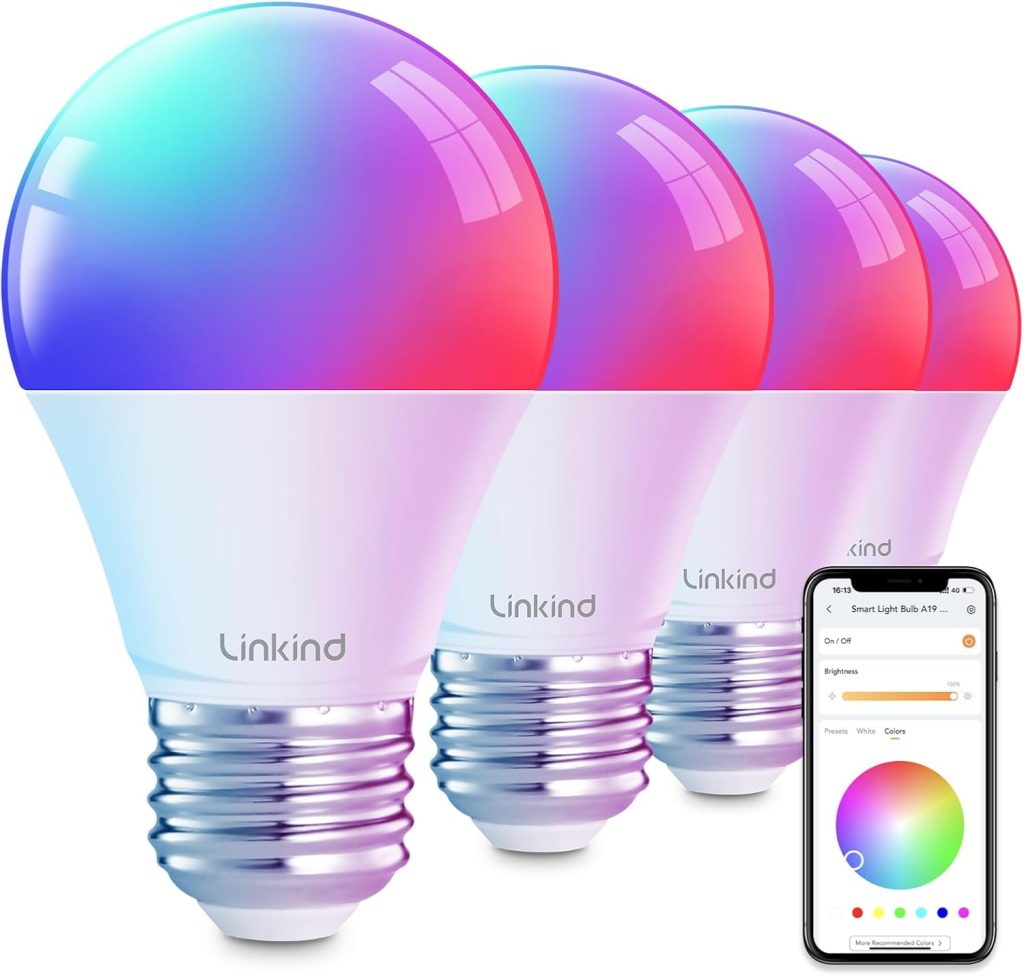
The Linkind Smart Light Bulbs bring powerful versatility at an affordable price, making them a popular choice for users seeking a colorful, energy-efficient lighting setup. These A19 E26 bulbs offer RGBTW (Red, Green, Blue, Tunable White) technology, producing over 16 million colors and a range of warm to cool whites.
They’re compatible with Alexa and Google Home, allowing for convenient voice control, while their dual WiFi and Bluetooth connectivity ensures fast setup and stable operation without additional hubs. Each bulb emits 800 lumens, making them suitable for both mood lighting and daily illumination.
Beyond the basics, Linkind bulbs shine in creative control. The app includes 104 preset scenes and a music sync feature, letting your lights dance to your favorite tracks. Users can group bulbs, set timers, and automate lighting transitions for an enhanced smart home experience. With responsive performance, vivid colors, and easy integration, the Linkind Smart Bulbs deliver features often found in more expensive brands, a true value-packed option for any modern household.
- Very easy to set up. Multiple reviewers connected bulbs in under a minute with automatic detection in the app.
- Works well with Alexa and Google Home for voice control of brightness, colour, and on/off.
- 800 lumens output. Brighter than many competing smart bulbs at this price point.
- Wide colour and white temperature range including daylight, warm, and candlelight tones with a sliding kelvin scale.
- Scheduling and automation features work reliably once set up.
- Good customer support. At least one reviewer received a full refund offer after reporting an issue.
- Good value for the price. Frequently described as an affordable and practical smart home solution.
- App setup can be confusing. Some users needed several days to get all bulbs connected and settings configured correctly.
- App organisation is unclear. Hidden scheduling settings caused unintended automations for some users.
- Bluetooth range is limited. One reviewer noted the bulbs required being within two feet to connect via Bluetooth.
- Brightness not sufficient for low-light spaces. Several buyers found the output too dim for primary room lighting.
- Lights turn on automatically after manual switch off. Cannot be controlled via app until physically switched back on.
- Group control can be unreliable. Changing settings for a group of bulbs sometimes requires controlling each one individually.
Linkind smart bulbs land in a strong position for Alexa and Google Home users who want colour flexibility and scheduling at a reasonable price. The 800 lumen output is a genuine advantage over cheaper alternatives, setup is consistently fast for most users, and the voice assistant integration works well once everything is connected. The responsive customer support is also a meaningful differentiator at this price point.
The main friction is the app. The layout is not intuitive, hidden settings caused unintended automations for multiple reviewers, and group control was inconsistent for some users. The Bluetooth range limitation and the need to manually switch a bulb back on before the app can control it are small but real annoyances. None of these are deal breakers, but they add friction that better app design would eliminate.
5. Philips Hue Essential Smart LED A19 Bulb
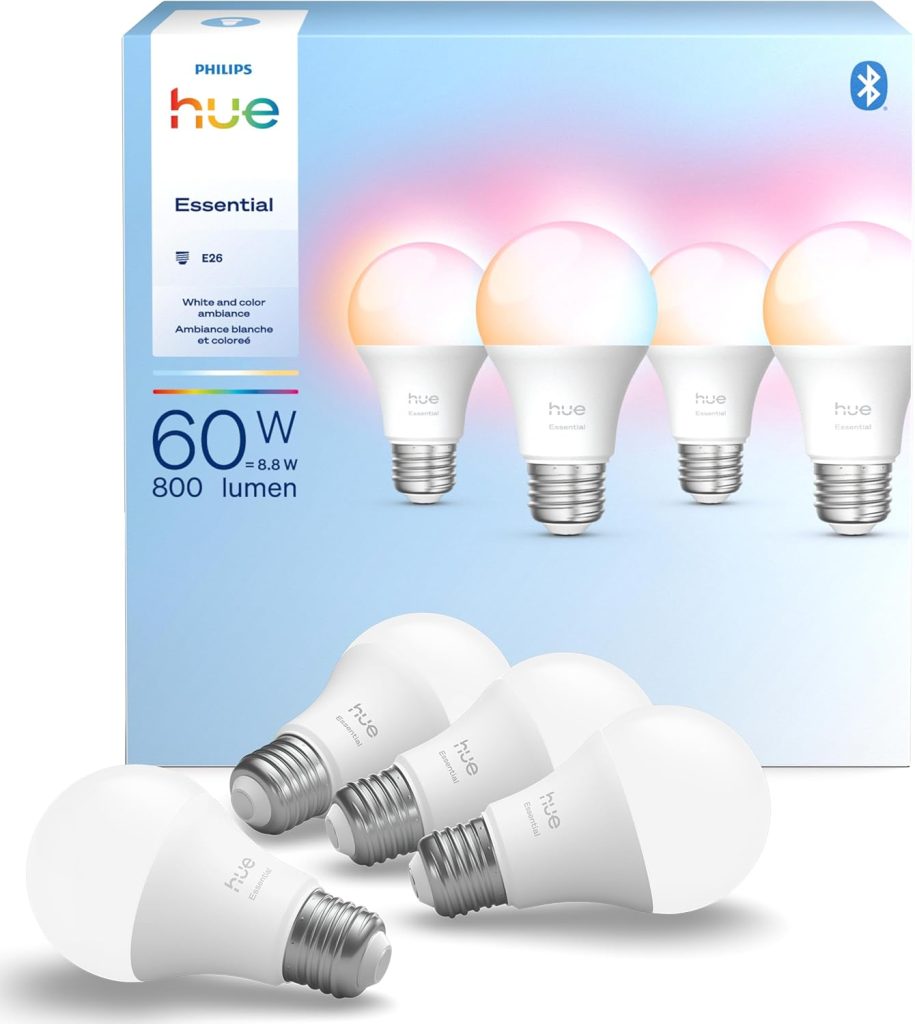
What truly sets Philips Hue apart is its ecosystem and long-term dependability. The Hue app offers intuitive scheduling, automation, and integration with smart sensors for hands-free convenience.
The Philips Hue Essential Smart LED A19 Bulb represents the gold standard in smart lighting. Renowned for its reliability and premium design, this bulb provides 800 lumens of bright, color-accurate light and a tunable white spectrum ranging from 2200K to 6500K.
It integrates seamlessly with Alexa, Google Assistant, and Apple HomeKit, and supports Matter through the Hue Bridge. The Hue system allows users to control up to dozens of lights with precision, sync lighting with movies or games, and create deeply personalized scenes.
Whether you’re setting an energizing morning routine or creating a cozy evening vibe, Hue delivers consistent performance and beautiful color transitions. Though it comes at a higher price point, the Philips Hue Essential bulbs remain the most polished and feature-rich solution for users seeking ultimate smart lighting control and cross-platform harmony.
- Rock solid connection. No random disconnections reported across dozens of reviewers.
- Works with Alexa, Google Home, Apple HomeKit, and Matter.
- Smooth dimming with no flicker at any brightness level.
- Excellent app with scenes, automations, and room grouping.
- No bridge required to get started via Bluetooth.
- Expandable with Hue Bridge for music sync and advanced automation.
- Most expensive option in the smart bulb category.
- Warm white below 2700K has a pink cast rather than a true warm orange.
- Full features require the Hue Bridge purchased separately.
- Apple HomeKit pairing can require a factory reset to work correctly.
- Dimming floor is higher than the standard Hue range.
The most reliable smart bulbs in this comparison. Reviewers who switched from other brands consistently report zero disconnection issues. Multi-platform support, a polished app, and smooth dimming make these the premium choice — the trade-off is price and the need to buy a bridge for full functionality.
How to Install and Set Up Your Smart Light Bulbs
Alright, so you’ve got your shiny new smart light bulbs, and you’re probably wondering how to get them working. Honestly, it’s way simpler than I expected. No need to call an electrician or anything complicated like that. Setting up a smart light bulb is a straightforward process that does not involve complex installation steps such as drilling or rewiring.
First things first, you’ll want to screw the bulb into the light fixture just like you would any regular bulb. Make sure the power to that fixture is off while you’re doing this, just to be safe. Once it’s in place, turn the power back on. The bulb should light up, probably with a standard white light, and might even blink a bit to show it’s ready for setup.
Next up is connecting it to your network. This usually involves downloading the manufacturer’s app onto your smartphone or tablet. You’ll find the app name in the bulb’s instructions, or sometimes it’s printed right on the bulb itself. Open the app, and it’ll guide you through finding the bulb and connecting it to your home’s Wi-Fi. You’ll likely need to enter your Wi-Fi password, so have that handy.
Some bulbs also use Bluetooth for the initial setup, which can be even quicker. The app will usually tell you which method it prefers. Once it’s connected to your Wi-Fi, the app will let you start controlling it. You can usually name the bulb – like ‘Living Room Lamp’ or ‘Bedroom Ceiling’ – which is super helpful, especially if you have multiple bulbs. This naming also makes it easier when you want to link it up with voice assistants like Alexa or Google Assistant.
If you’re planning to use voice commands, you’ll need to link the bulb’s app to your smart home account. Most apps have a section for ‘Integrations’ or ‘Works With’. Follow the prompts to connect your accounts. After that, you can just say things like, ‘Hey Google, turn on the kitchen lights,’ and boom, it happens. It’s pretty neat, and honestly, I was controlling my whole house with my voice within about 15 minutes of opening the box. It’s a nice little upgrade that makes life just a bit easier.
Wrapping Up My Smart Light Journey
So, after messing around with all these smart bulbs, I’ve got to say, they’re pretty neat. It’s wild how much easier it is to just tap my phone instead of getting up to flip a switch, especially when I’m already comfy on the couch.
Plus, setting up schedules so the lights turn on when I get home or off when I leave feels like a little bit of future-tech magic. While some of the fancy color-changing ones are fun for movie nights, I’m finding the simple white ones that I can dim or brighten are the most useful for everyday stuff.
Honestly, upgrading to smart bulbs has been a surprisingly simple way to make my place feel a bit more modern and convenient. I’m glad I took the plunge.
Frequently Asked Questions
What exactly is a smart light bulb?
Think of a smart light bulb as a regular light bulb, but with a tiny computer inside! This lets me control it using my phone or even my voice, which is pretty cool. I can turn lights on or off, change their brightness, and sometimes even switch their colors, all without getting up.
How do I connect a smart bulb to my phone?
It’s usually pretty simple. Most smart bulbs connect through an app on my phone. Sometimes, they connect directly to my home’s Wi-Fi, and other times, they might use Bluetooth or a special hub. The app guides me through the steps, and it’s usually done in just a few minutes.
Do I need a special hub for smart bulbs?
Not always! Many newer smart bulbs connect straight to my Wi-Fi without needing an extra box. However, some brands might still suggest or require a hub to work best, especially for more advanced features or if I have a lot of bulbs. I usually try to find ones that don’t need a hub to keep things simple.
Can I control my smart lights when I’m not home?
Yes, I can! As long as my smart bulb is connected to my home’s Wi-Fi and my phone has internet access, I can control the lights from anywhere. This is super handy if I forget to turn off a light or want to make it look like someone’s home while I’m away.
What’s the difference between Wi-Fi, Bluetooth, and Zigbee/Z-Wave bulbs?
Wi-Fi bulbs connect directly to my home’s internet. Bluetooth bulbs connect straight to my phone when I’m nearby. Zigbee and Z-Wave bulbs use a different kind of network, often needing a hub, but they can be really good for controlling many devices without slowing down my Wi-Fi.
What does ‘lumens’ mean for a light bulb?
Lumens tell me how bright a light bulb is. It’s like the ‘power’ of the light. A higher lumen number means the bulb is brighter. For example, a 60-watt old-style bulb is usually around 800 lumens, and most smart bulbs match that brightness.
Can smart bulbs change colors?
Some can, and it’s a lot of fun! These ‘color-changing’ bulbs can show millions of different colors, so I can set the mood for parties or just relax with a soft glow. Others are ‘tunable white,’ meaning I can change the white light from warm and cozy to bright and energizing.
Will smart bulbs work with Alexa or Google Assistant?
Most of them do! I check to make sure a bulb works with my preferred voice assistant, like Alexa or Google Assistant, so I can control my lights with just my voice. Some even work with Apple’s HomeKit.
How bright are smart bulbs usually?
Typically, a standard smart bulb is about as bright as a 60-watt old-fashioned bulb, which is around 800 lumens. But, I can usually dim them down if I want a softer light, or some bulbs can even get brighter than that if I need more light.
Are smart bulbs worth the extra cost?
I think so! Even though they cost a bit more upfront, smart bulbs use less energy because they’re LEDs, and they last much longer. Plus, the convenience of controlling them with my phone or voice, setting schedules, and creating different moods makes them a great addition to my home.
Can I put smart bulbs in any lamp?
Mostly, yes! I just need to make sure the smart bulb has the right base type (like E26, which is common) to fit into the lamp socket. I also need to consider if the bulb is meant for indoor or outdoor use, especially if I’m putting it in a porch light.
What happens if my internet goes out?
If my Wi-Fi isn’t working, I can usually still turn the smart bulbs on and off using the regular light switch, just like a normal bulb. However, I won’t be able to control them with my phone or voice commands until the internet is back up and running.